
Closed beta · Linux and Windows
A media player with a library of its own.
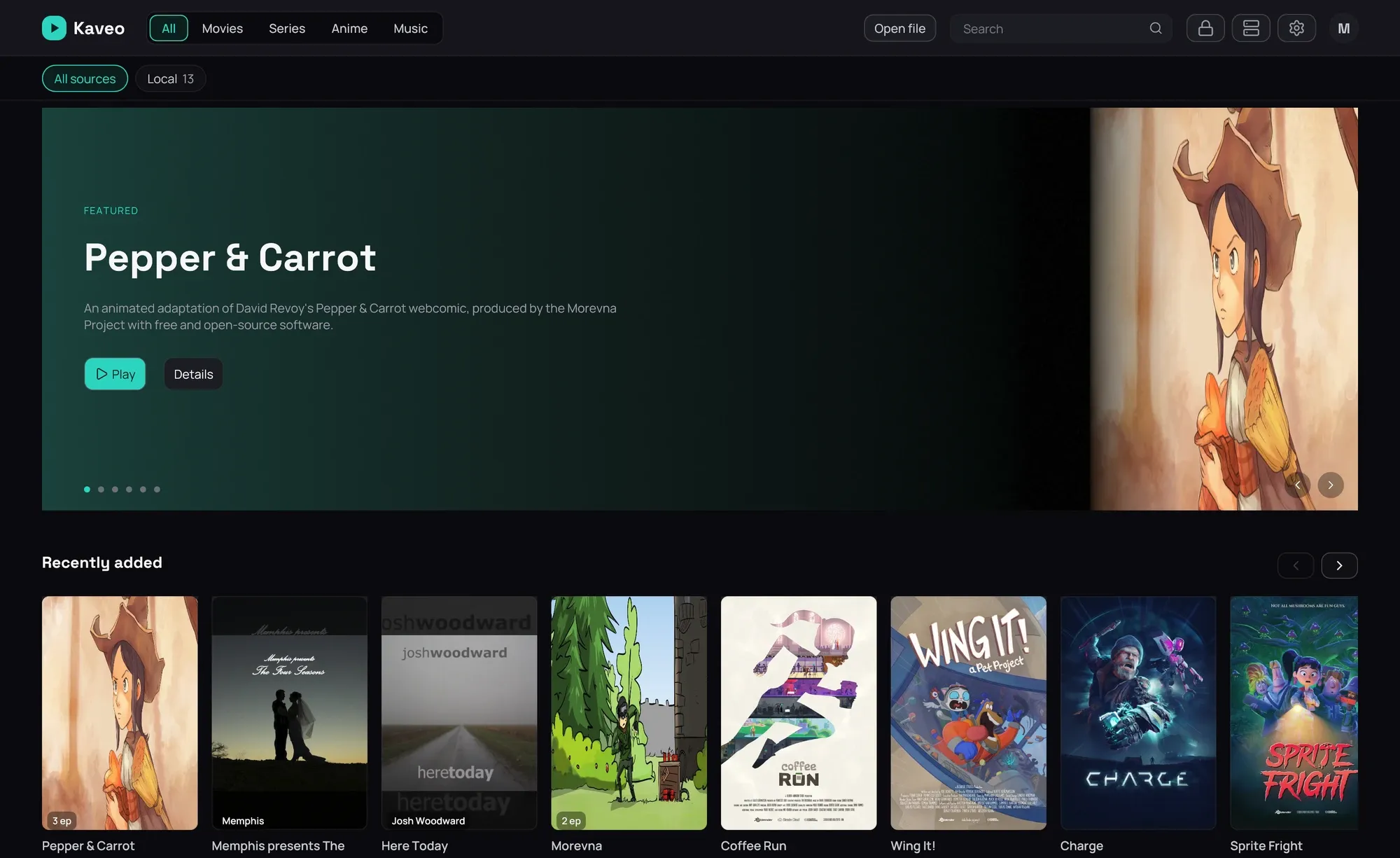
Point it at your folders and browse films, series and music like a streaming service — or just open a file, and it plays.
A beta key lasts 30 days and arrives by email. How the licence works
What it does
Made for people who look closely.
Library
Your folders and your server, in one place that feels like a streaming service.
Your library →Built from your folders
Films, series and music in rows, with posters and plots from TMDB — categories of your own, sagas grouped, the episodes you are missing.
Jellyfin, if you have it
Its films and series join your library, play beside your own files and keep your place in sync.
Your own videos
Phone and camera clips in a category of their own, in the order they were filmed. Save a frame as a photo, or export a copy — date and place kept.
Private titles
Keep some titles in an encrypted vault, with a password and an optional recovery key. While it is locked, they are not in your library at all.
Organizing
Files named and filed the way you want — and shown to you before anything moves.
Organizing files →Named for you
Naming templates — Standard, Plex, Kodi or your own — and a folder brought in line with them, with the list shown first.
Downloads, filed
Finished downloads move into your libraries under the right name; anything still downloading stays behind.
Several copies, one title
Two releases, or a local file and the same title on Jellyfin, kept as one — and the kind you prefer remembered.
HDR and tone mapping
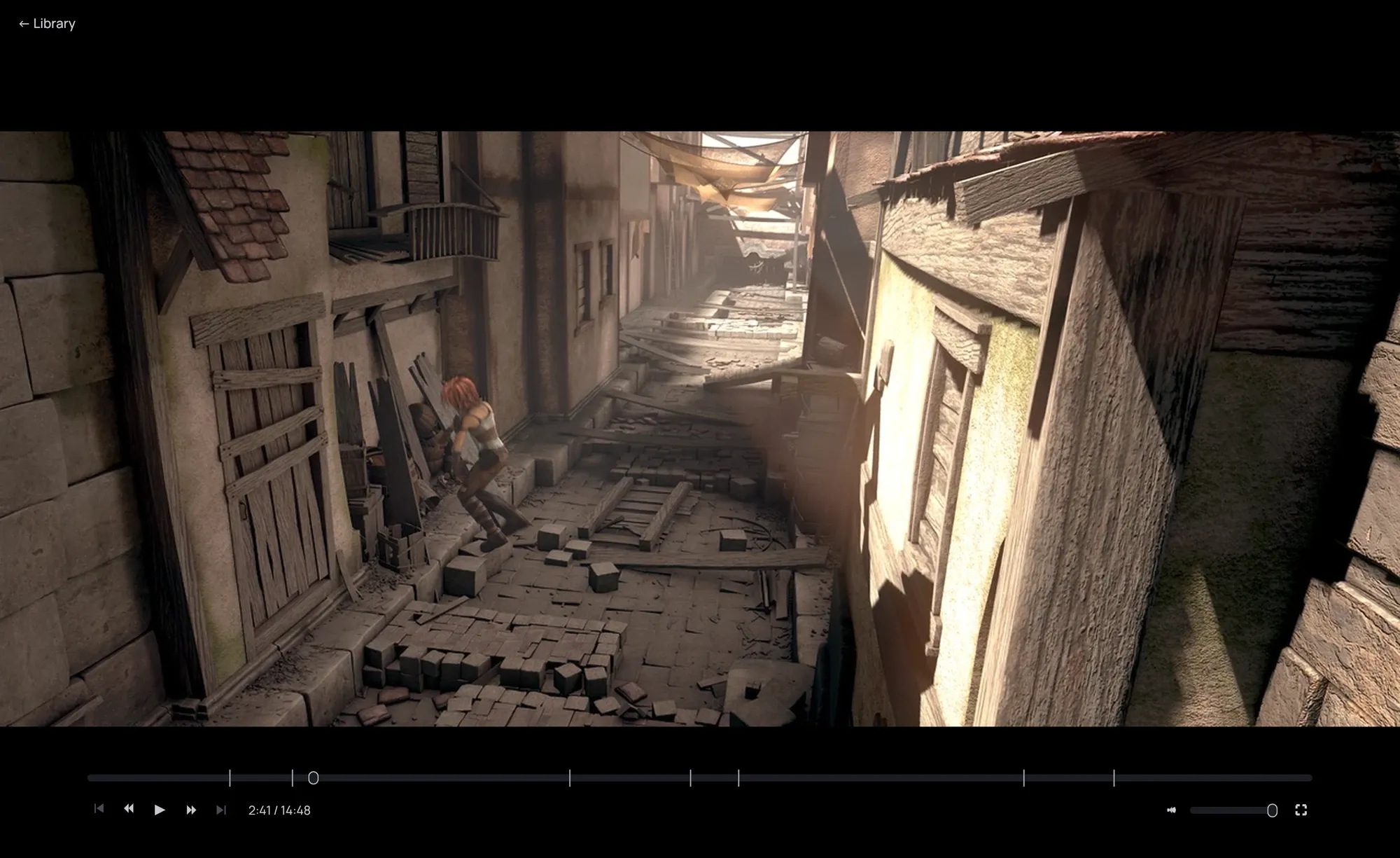
HDR reaches an HDR display the way it was mastered; elsewhere, dynamic tone mapping with peak detection, gamut mapping and SDR-to-HDR — per display, with a calibration LUT.
A neural upscaler
Models for anime and for live action, picked from your library, enlarge lower-resolution sources — with a strength control and an edge-halo limiter.
Scaling and motion
Chroma with KrigBilateral or RAVU, downscaling in linear light, BWDIF deinterlacing, and a frame mixer that fits the film to your display.
Your own models and shaders
Load your own ONNX models, or a folder of GLSL shaders — and pick a shader for each stage of the pipeline.
Watching
Subtitles you can find, fix and translate — and a player that learns your habits.
Subtitles →Found and synced
A file beside the video, a track inside it, or OpenSubtitles — moved onto the right timing, and edited line by line.
Translated, even offline
A film or a whole season, with an AI model online, or on your own computer with Ollama or LM Studio.
Skips what you skip
When a file marks its opening or ending, Kaveo offers to skip it, and learns your habit for that series.
Hands on the keys
Every shortcut can be changed. All of them
- SpacePlay / Pause
- ← →Seek 10 seconds
- , .Step one frame
- [ ]Speed
- SNext subtitle track
- Z XSubtitle delay
- ESubtitle editor
- Shift+SSave a frame
- Ctrl+HLive picture panel
Yours
A program on your computer — nothing more.
Stays with you
Your library, watch history, settings and subtitles stay on your computer; keys go in your system’s password store.
No telemetry
No analytics, no usage statistics, no crash reports. A diagnostic bundle goes nowhere unless you send it.
Nothing passes through us
TMDB, OpenSubtitles and Jellyfin are used only once you set them up, and Kaveo talks to each one directly.
Questions
Before you start
How do I get a licence key?
During the beta, write to support@kaveoplayer.com, or click Get a key on Kaveo’s licence screen. A key lasts 30 days and arrives by email. See Licence.
What happens when the key runs out?
A badge and a message say so in its last week. When it ends, Kaveo shows only the licence screen until a new key is entered — a film you are watching plays to its end first, and nothing is deleted.
Does it need an internet connection?
Your own files play without one. Kaveo checks for updates (which you can turn off) and confirms the licence’s date at least once a week; everything else goes only to the services you set up. See Privacy.
Which systems does it run on?
Linux (x86_64, with a Vulkan 1.2 GPU) and 64-bit Windows 10 or 11. macOS is not supported. See Download.
Download Kaveo
Every file on the release page has a SHA-256 checksum beside it.
Latest releaseThe first beta is not out yet — the release page is empty until then.
Linux
- .deb
- .rpm
- AUR
- Tarball
- AppImage
x86_64 with glibc 2.35 or newer, on Wayland or X11, and a GPU with Vulkan 1.2.
Which one to pickThe titles in these screenshots are openly licensed films and episodes — chiefly from the Blender Foundation and the Morevna Project; see Credits.