
A tour of the interface
What it is for
Section titled “What it is for”A map of the screens this guide keeps pointing at.
The top bar
Section titled “The top bar”

- The logo — back home, with every filter cleared.
- Categories — your library’s places; see Categories.
- Search — see Search.
- Open — a file outside your library, or a URL (Ctrl+L).
- The vault padlock — see Private titles.
- Sources — see Sources.
- Settings — see Settings.
- Your avatar.
The library home
Section titled “The library home”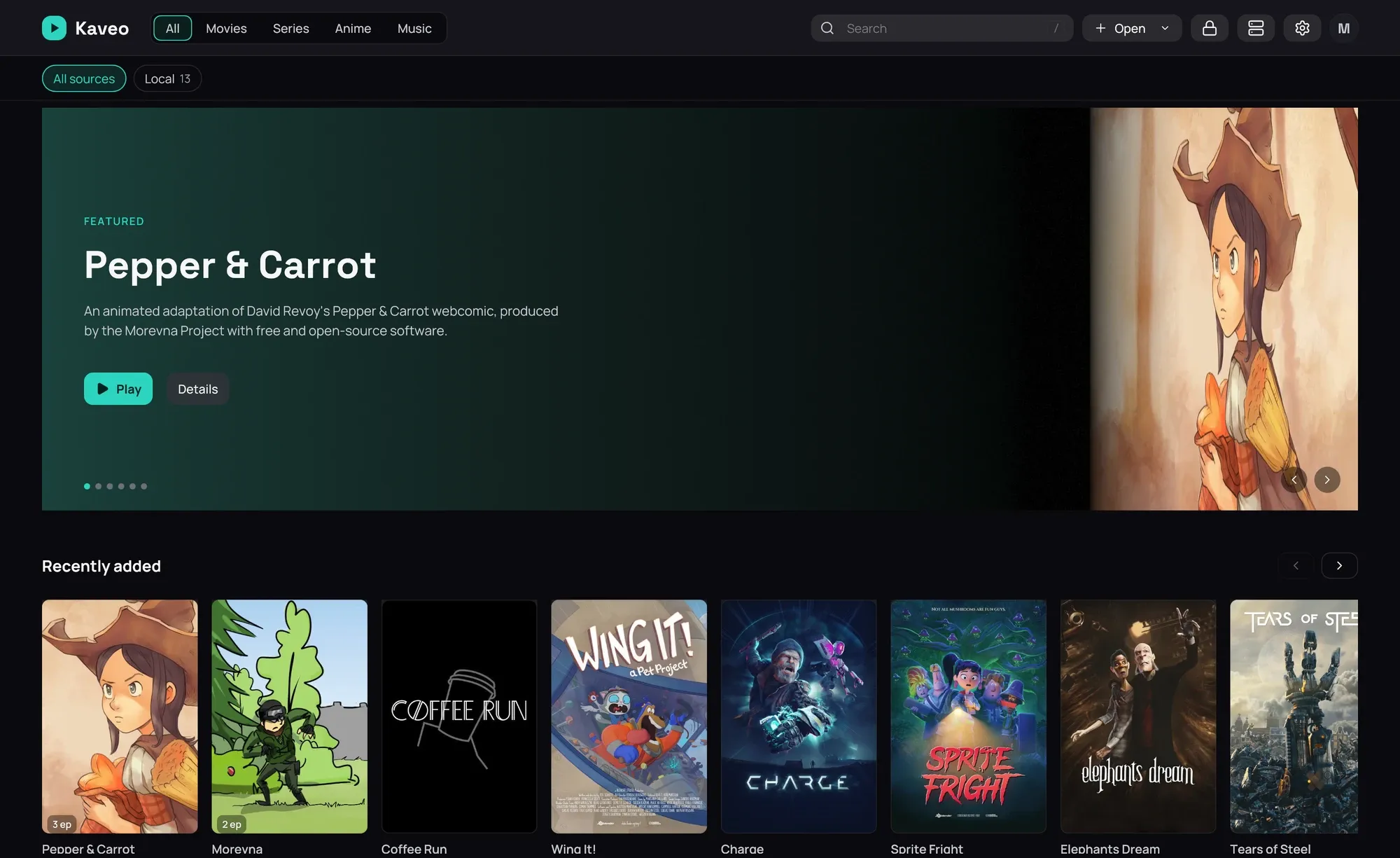
Rows of titles under a featured band; click a card to open it — a genre or saga row’s own title opens everything in it — see The library home.
A title page
Section titled “A title page”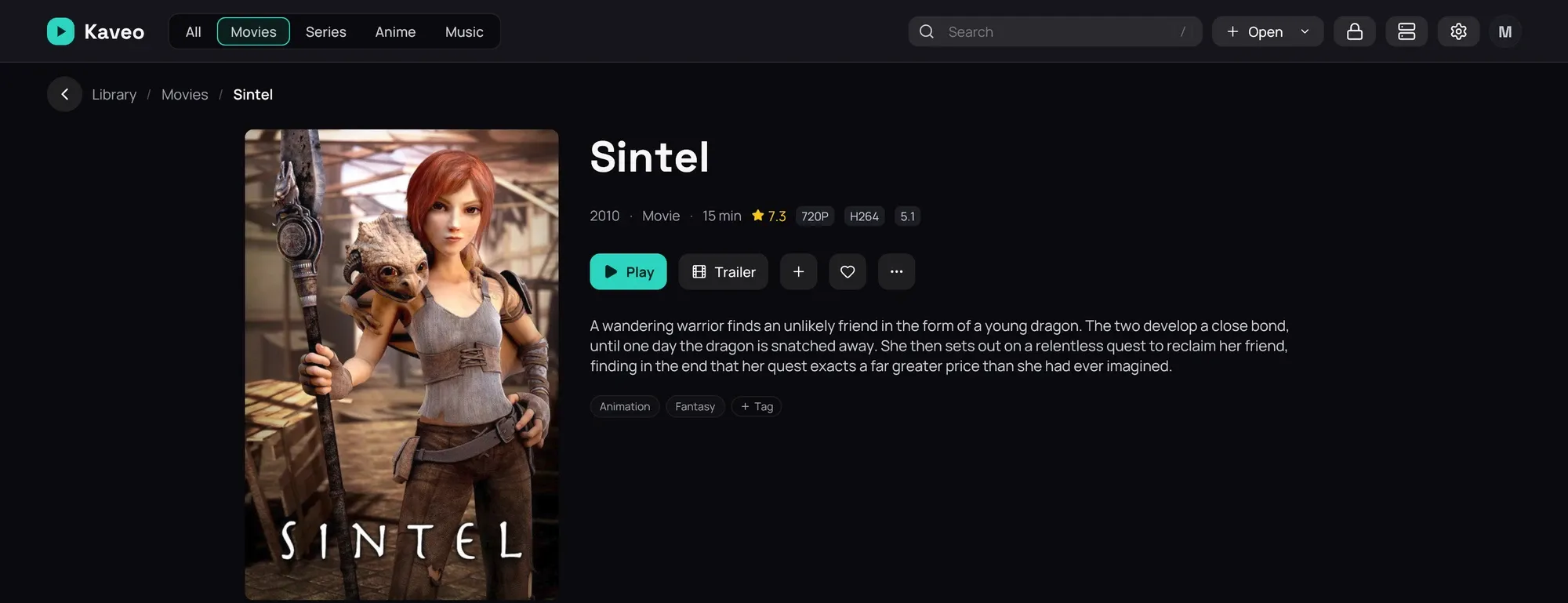
Poster, description, genres, cast, similar titles. ⋯ › Correct match… fixes a bad match — see Correcting a wrong match. More than one copy? The row under Play lists them — see Several copies. A series’ page starts with Play or Resume; an episode plays from its picture.
Above it, the path back: click a step, or the arrow.
The player
Section titled “The player”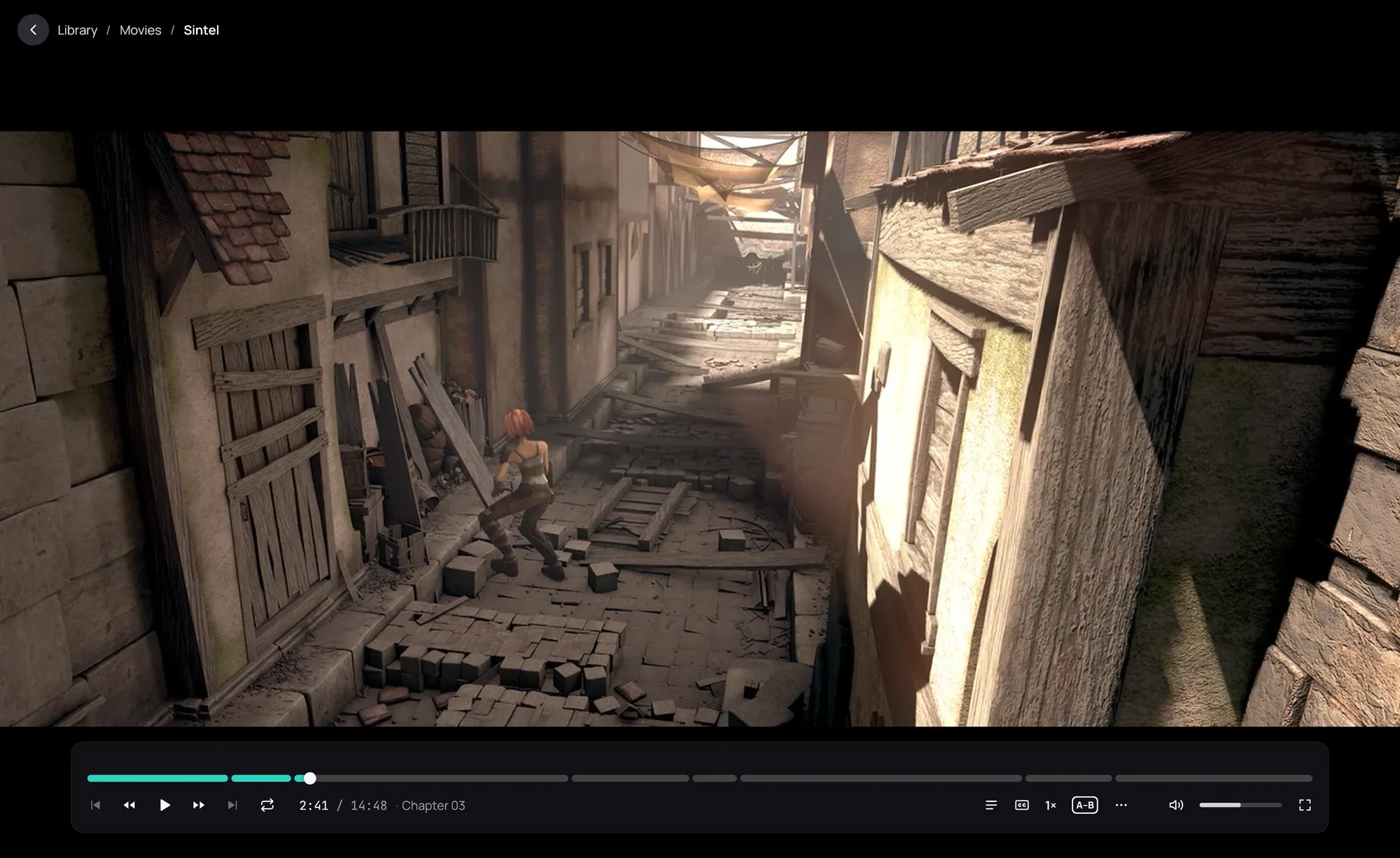
Move the mouse to bring up the bar: seek, play or pause, chapters, tracks, speed, volume, fullscreen — see Player controls. A right-click opens its More menu.
Good to know
Section titled “Good to know”- Press F12 anywhere for a picture of what’s on screen — see Screenshots.
- Type in the search field, or click a genre or saga row’s own title, to narrow the grid to one thing.