
Lyrics
What it is for
Section titled “What it is for”Follow the words of a song as it plays, and jump to any line.
How to use it
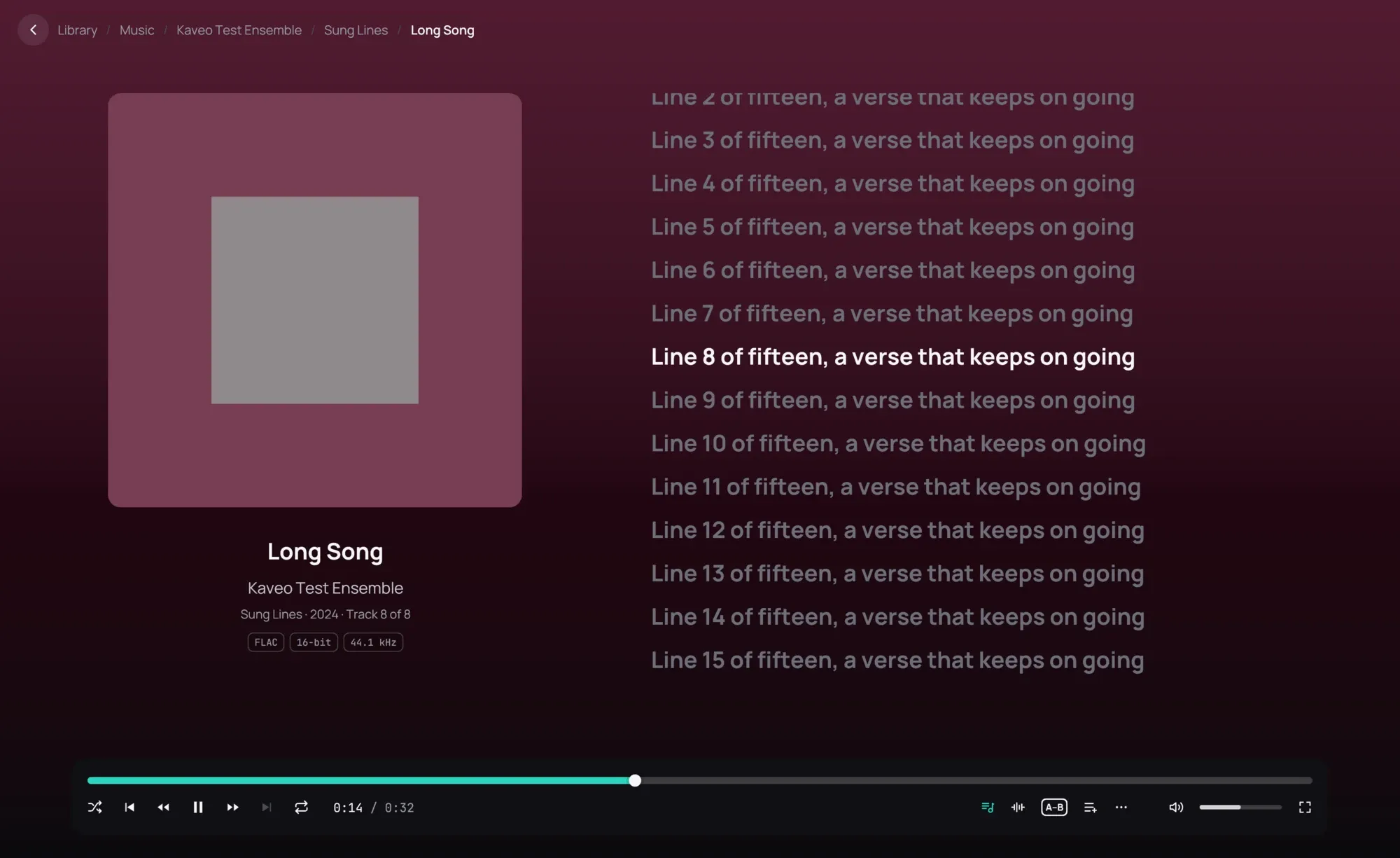
Section titled “How to use it”- Play a track that has lyrics. They appear beside the cover by themselves.
- When the lyrics are timed, the line being sung is lit and the column scrolls to keep it in view.
- Click a line to play the song from there.
- Scroll with the mouse wheel to read ahead; after a few seconds the column follows the song again.
- To hide the lyrics, click the microphone button on the playback bar. Click it again to bring them back; Kaveo remembers your choice until you close it.
Good to know
Section titled “Good to know”- Kaveo reads a lyrics file with the same name as the track, beside it: an LRC file, an enhanced LRC file, or a plain text file. It also reads the lyrics stored inside the track itself.
- When a track has both timed and plain lyrics, the timed ones are shown.
- A track without lyrics has no microphone button.
- Music on a Jellyfin server shows the lyrics the server found for it. The server ignores an offset line, so lyrics that rely on one run late there.
- If the lyrics run early or late, the timing is in the lyrics file: an offset line in it moves them all.
- A track without lyrics gets LRCLIB’s, unless Lyrics online is turned off in Settings › Metadata.