
Picture
What it is for
Section titled “What it is for”Settings › Picture covers the picture as a whole: its colour, and where and at what shape it is drawn.
How to use it
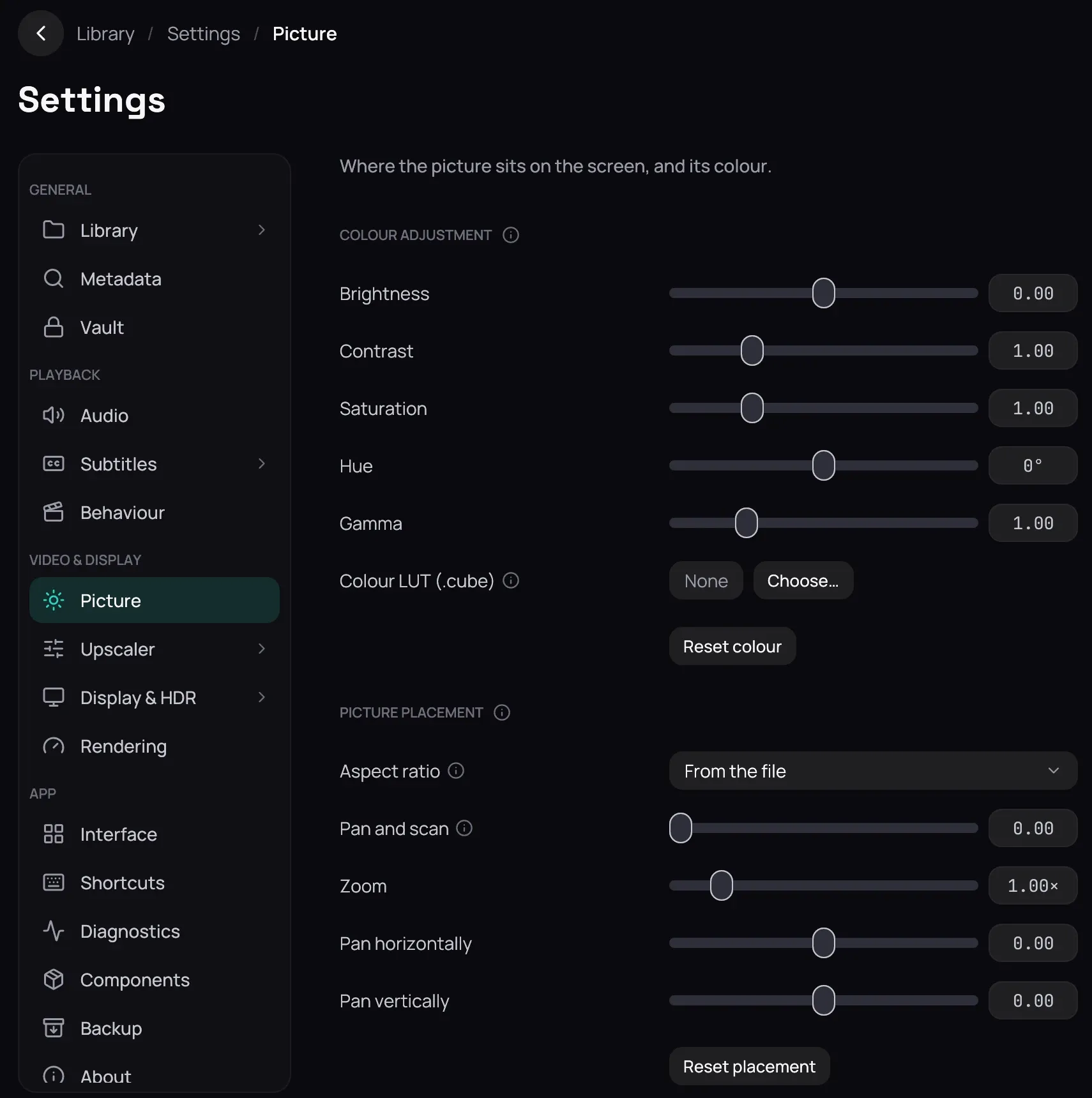
Section titled “How to use it”- Under Colour adjustment, move Brightness, Contrast, Saturation, Hue and Gamma; Reset colour returns all five to neutral.
- Colour LUT (.cube) applies a grading look from a file you pick with Choose… — a look, not screen calibration. The cross beside the file and a LUT interpretation list appear once one is set.
- Under Picture placement, set Aspect ratio — From the file to begin with — when a film is drawn at the wrong shape.
- Raise Pan and scan to trade black bars for cropped edges and Zoom to enlarge; Pan horizontally and Pan vertically shift the picture inside the window. Reset placement undoes all five.
- Click Save to keep any of it — see Saving changes.
Good to know
Section titled “Good to know”- They re-grade; they do not repair a compressed or banded source — that is the Upscaler section’s Source tab.
- Pan horizontally and Pan vertically move the picture whether or not anything is cropped: where there are black bars it slides into them, and otherwise it slides off one edge, leaving black behind it. Reset placement brings it back.
- Nothing is kept until Save, though a film on screen follows every change at once, resets included.