
Jellyfin
What it is for
Section titled “What it is for”Kaveo plays a Jellyfin server’s films, series and music, and syncs your place.

How to use it
Section titled “How to use it”Connect a server
Section titled “Connect a server”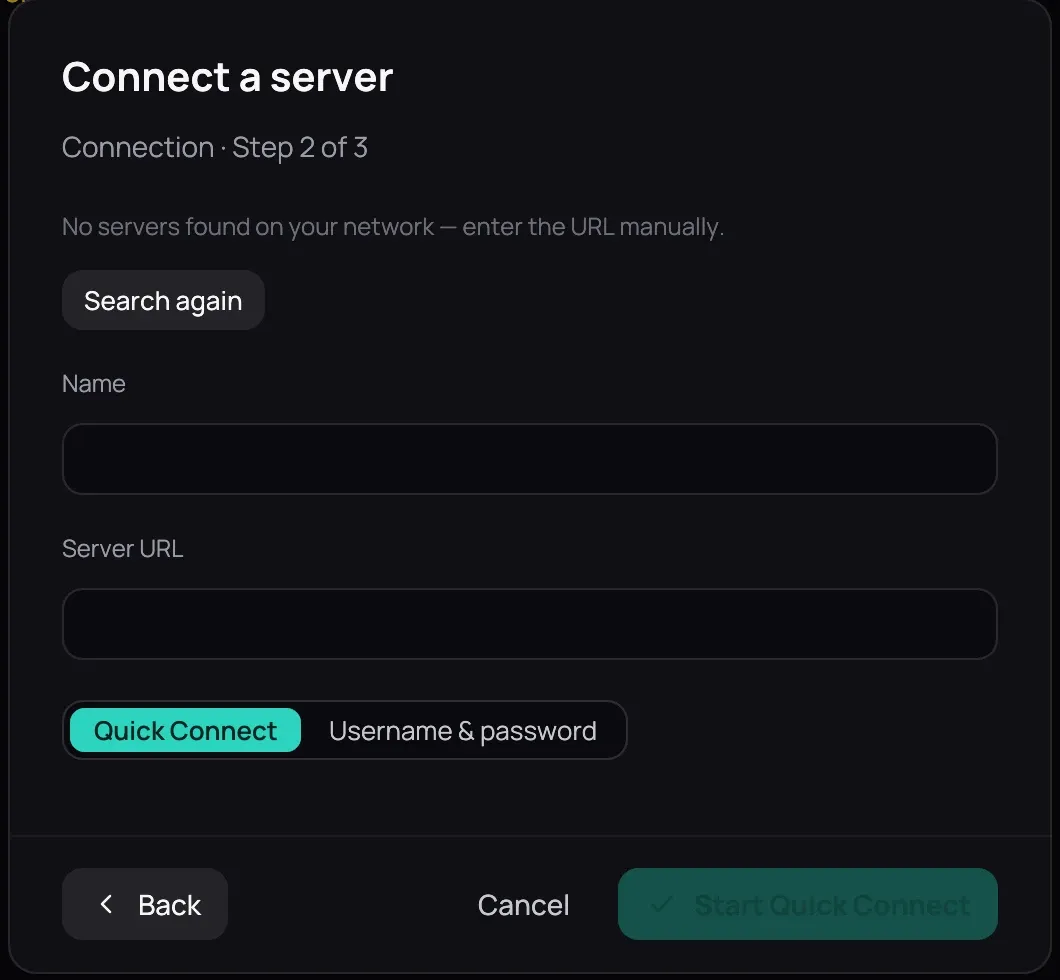
- Click Sources in the top bar, then Connect a server and Jellyfin.
- Pick a server Kaveo found on your network, or type its address in Server URL; until it has one, Start Quick Connect and Connect stay dimmed.
- Choose Quick Connect, click Start Quick Connect, and enter the code in your Jellyfin dashboard — or Username & password and Connect.
- Map each of the server’s libraries to New category, one of your categories, or Don’t import.
- Click Done. The server’s titles join your library.
When a server stops working
Section titled “When a server stops working”

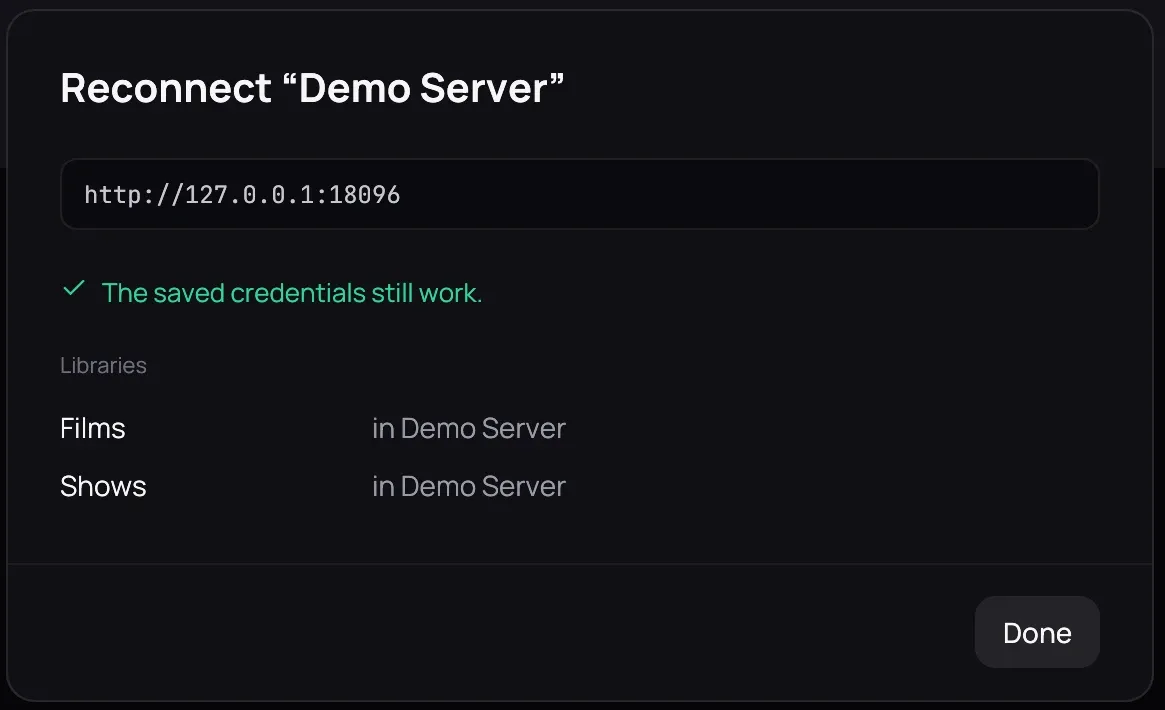
- The Sources page gives every server a card saying what is wrong: No answer if the server is silent, Credentials refused if the sign-in no longer works. Either way it contributes no titles.
- Click Reconnect, sign in if asked, and it lists each library and its category. New address? See When a server moves.
Good to know
Section titled “Good to know”- Your place and favorites travel both ways while Kaveo runs; watched travels only from the server.
- Server changes missing? Click Reload on Sources.
- Remove asks first, then forgets the server and its sign-in and drops a category left empty.
- If your computer has no password store, the Sources page says so: sign-ins are kept only until you restart, and every server then asks you to Reconnect.