
Several copies of a title
What it is for
Section titled “What it is for”The same film or episode can exist twice — two releases, or a local file and the same title on your Jellyfin server. Kaveo keeps them as one title with several versions, and remembers the kind you prefer.
How to use it
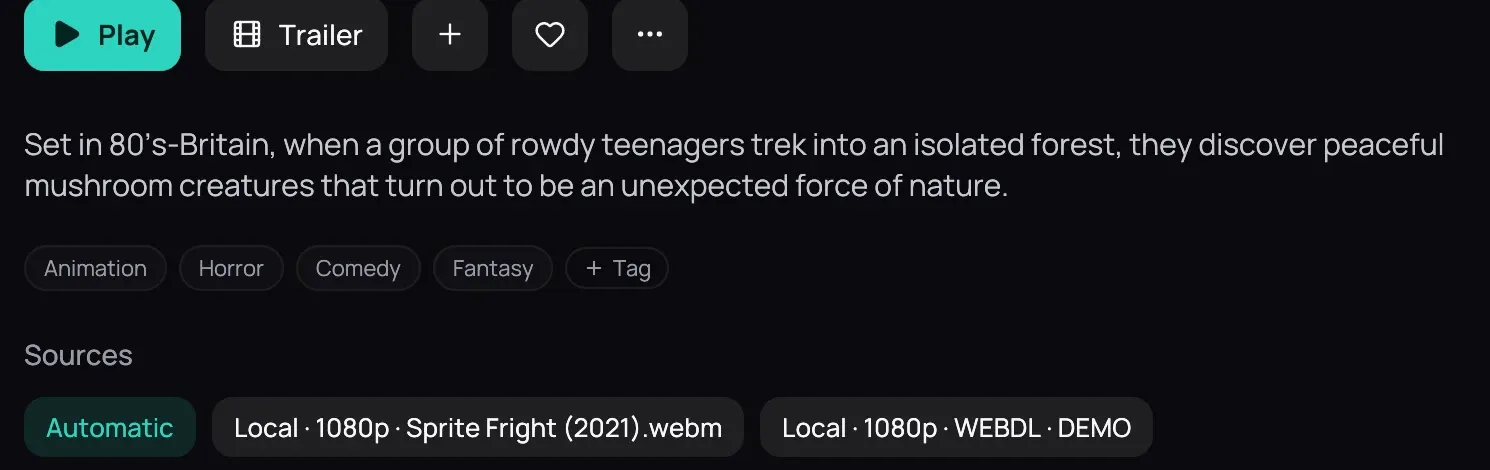
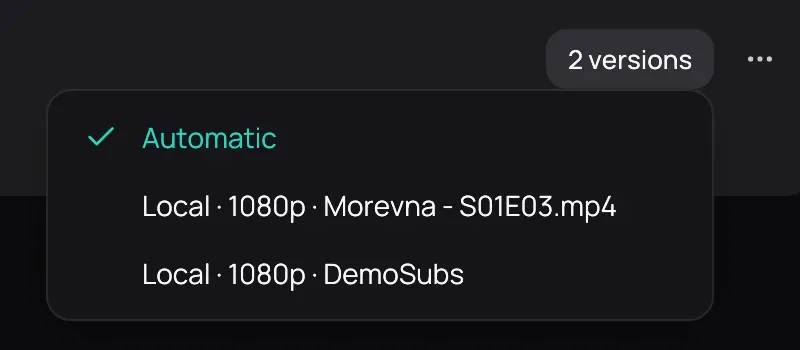
Section titled “How to use it”- Open the list: the chips under Sources on a film’s title page, or the versions button on an episode’s row, for example 2 versions.
- Each copy says where it is (Local, or Jellyfin and the server’s name), its resolution, and what tells it apart — where the release came from and its release group, or the file name. Rest the pointer on a copy to see its file, or its server’s address.
- Click the copy you want: that selects it, it does not start it.
- Click Play on a film’s page, or an episode’s row, to open it.
Good to know
Section titled “Good to know”- A film on your disk and the same film on a server are one card, not two; with only one copy there is no list to open.
- Your choice is remembered for the title — for a series that means every episode of it, and it still holds the next time you open the show.
- Choose Automatic, first in the list, to forget your choice and go back to the best copy.