
Translating a whole series
What it is for
Section titled “What it is for”Translate the subtitles of a film, a season or a whole series in one go, without opening the video. Kaveo works through them one episode at a time.
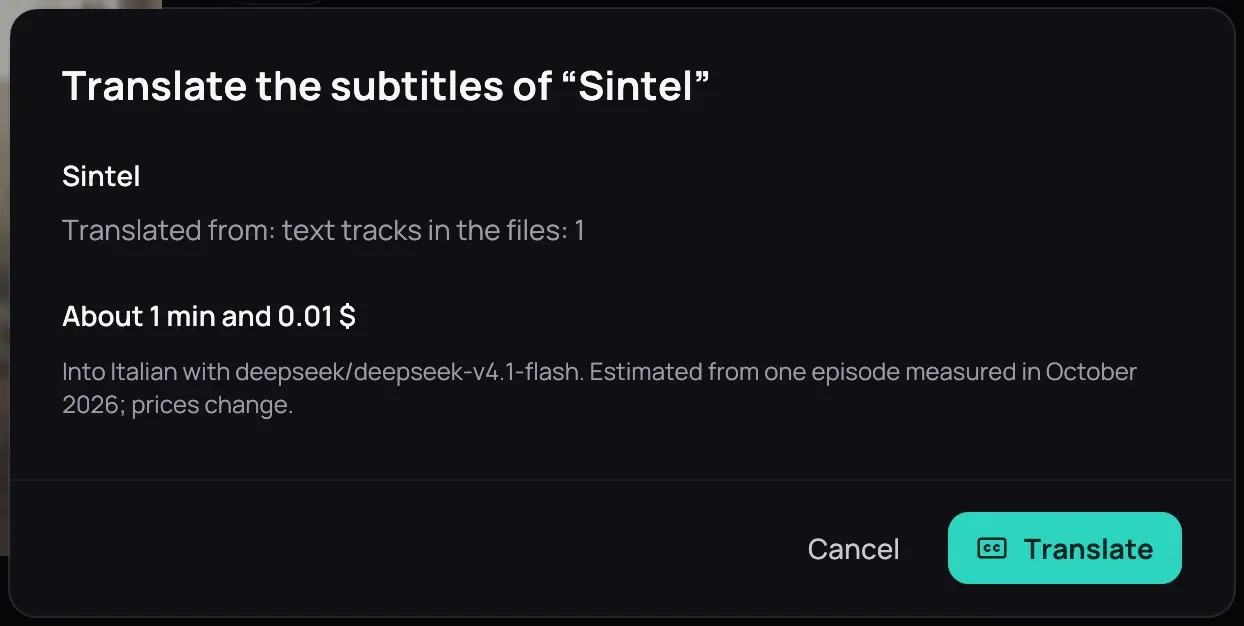
How to use it
Section titled “How to use it”- Right-click a film, an episode or a series and choose Subtitles…. On a film or series page it is in ⋯; a season has its own Subtitles for this season….
- Check the episodes, where their text comes from, and the estimate of time and cost.
- If some already have a translation, choose Skip them or Translate them again.
- Press Translate.
When an episode cannot be translated
Section titled “When an episode cannot be translated”Kaveo translates from English text. If an episode’s English subtitles are only pictures (PGS), or missing, the dialog says so with a warning and does not queue it.
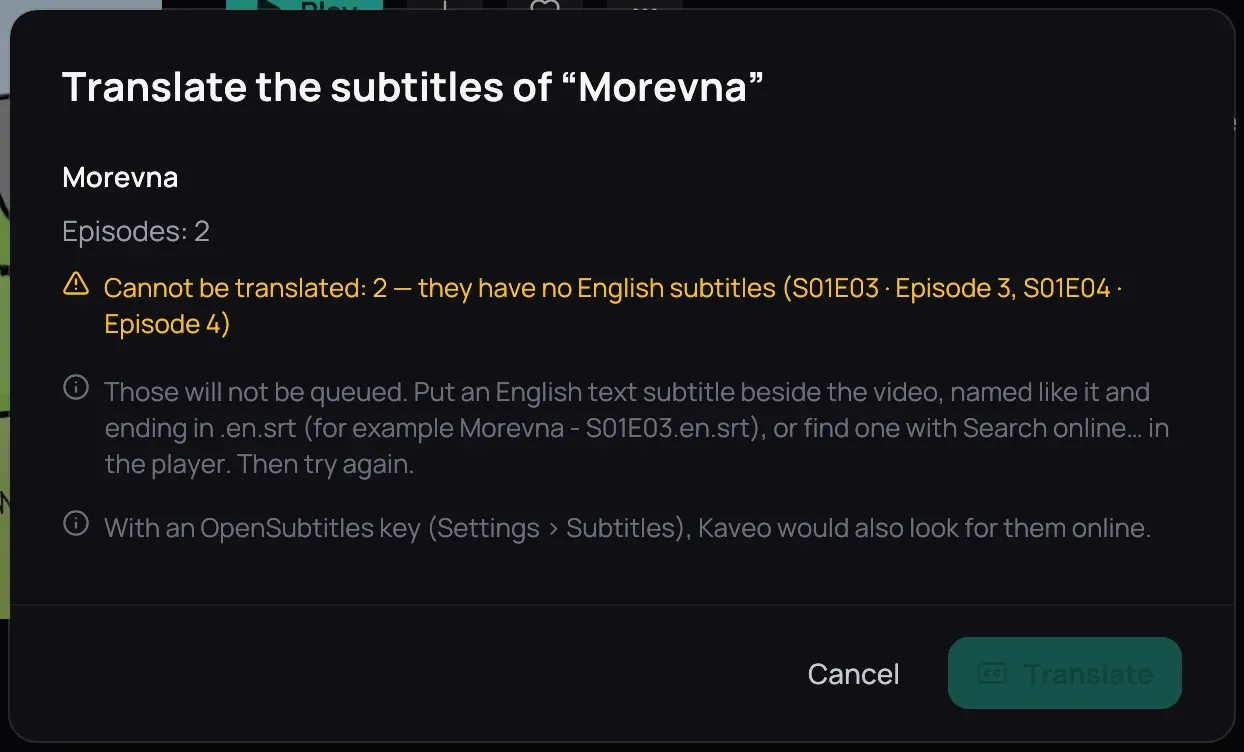
Put an English text subtitle beside the video, with the same name ending in .en.srt, or find one with Search online… in the player. On Jellyfin, add it on the server. Then try again.
Good to know
Section titled “Good to know”- To follow or retry what is queued, see Following the translation queue.
- Online: OpenSubtitles for a series.
- On a new series, keep Stop after the first episode ticked, check that episode, then press Continue in the queue: the next episodes use your corrections.
- A playing video gets the graphics card first.
- Jellyfin titles can be queued too; a title in both places shares its subtitles. Set up a provider: see Translating subtitles.