
Audio
What it is for
Section titled “What it is for”Settings › Audio decides where the sound goes, how special formats reach it, and which soundtrack a film opens on.
How to use it
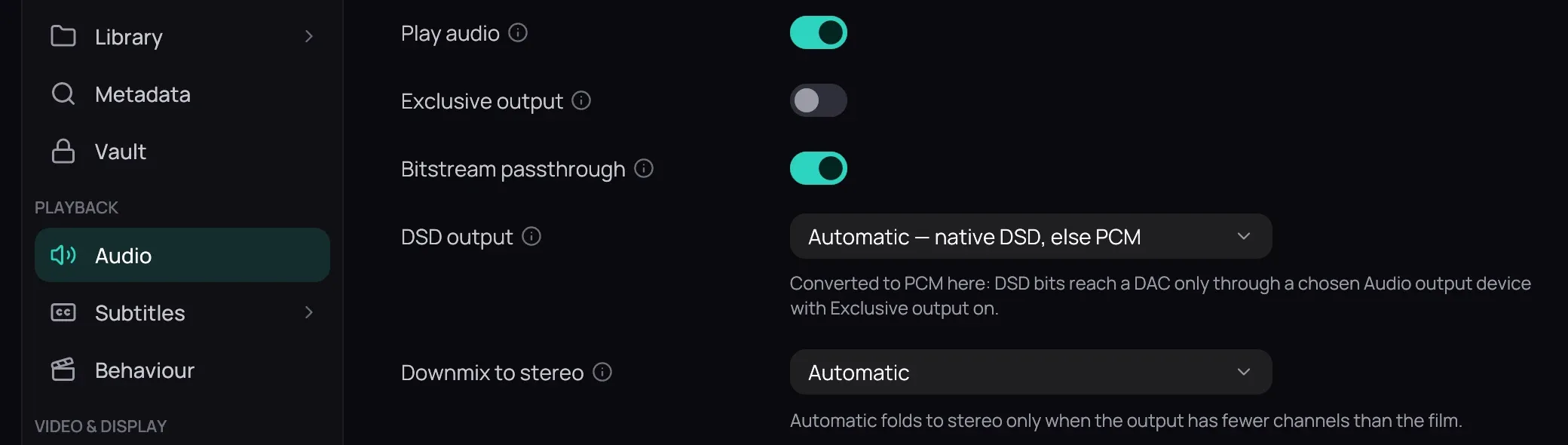
Section titled “How to use it”- Exclusive output with a chosen Audio output device is bit-perfect, bypassing the mixer.
- Bitstream passthrough sends Dolby and DTS to a receiver untouched.
- DSD output: how DSF and DFF files reach a DAC; as DSD only to a chosen Audio output device with Exclusive output on.
- Downmix to stereo: Automatic folds only for an output narrower than the film (an HDMI receiver is asked).
- Volume control on Output device keeps the sound bit-perfect below 100 % (Volume and dynamics).
- Sync offset for this output corrects a late output, like Bluetooth headphones.
- Preferred audio languages: Add language, best first; drag to reorder.
- Keep pitch when changing speed: off, faster sounds higher, like a tape.
Good to know
Section titled “Good to know”- Choose DoP (DSD over PCM) only for a DAC that decodes it: others play noise. While DSD goes to the DAC, volume, the equalizer, crossfade and the visualizer do not apply.
- A sample rate the device lacks is converted, and Kaveo says so.
- A title opens on the first of those languages it has, unless its series has one; never on a commentary or an audio description.
- Pinning a device other than HDMI makes Automatic downmix stand down; Use a different setting for this output gives it a rule.
- Everything waits for Save (Saving changes).