
Listening to music
What it is for
Section titled “What it is for”Play the music in your library, or any audio file on your computer, in the same player as your films.
How to use it
Section titled “How to use it”- Open an album from the Music category and click Play album, Shuffle, or Play beside a track, or its cover’s play button.
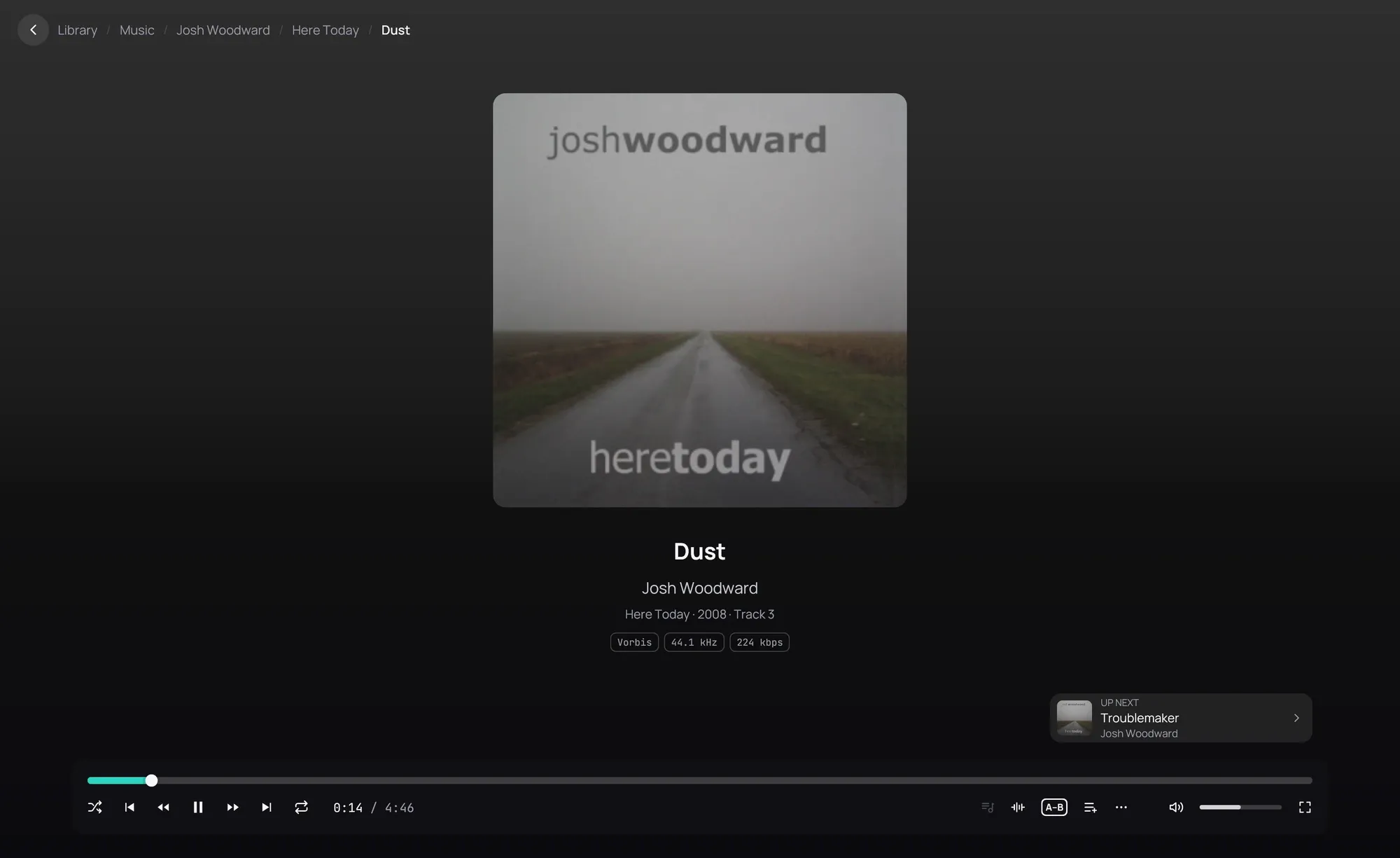
- The cover, title, artist and album fill the window: see The song screen.
- When a track ends, the next starts with no gap: a live album plays as one piece.
- Click the arrow at the top left to go on listening while browsing: see Music while you browse.
- Any other file plays from Open, a drop, or your file manager.
Good to know
Section titled “Good to know”- A song starts from the beginning; an audiobook resumes where it stopped.
- Play album turns shuffle off, Shuffle on.
- MP3, FLAC, AAC, ALAC, Ogg, Opus, WavPack, WAV, AIFF, Matroska audio, M4B and DSD files play.
- Tracks of different kinds, such as a FLAC then an MP3, follow each other after a short pause.
- Crossfade, in Settings › Audio, fades one song into the next, except within an album unless you turn off Not between songs of the same album.
- A file that cannot be played is not added to Recently played.
- A check mark beside a track means you have played it.
- Music on a Jellyfin server plays the same way, streamed.
- To browse by artist, see Artists.