
Music while you browse
What it is for
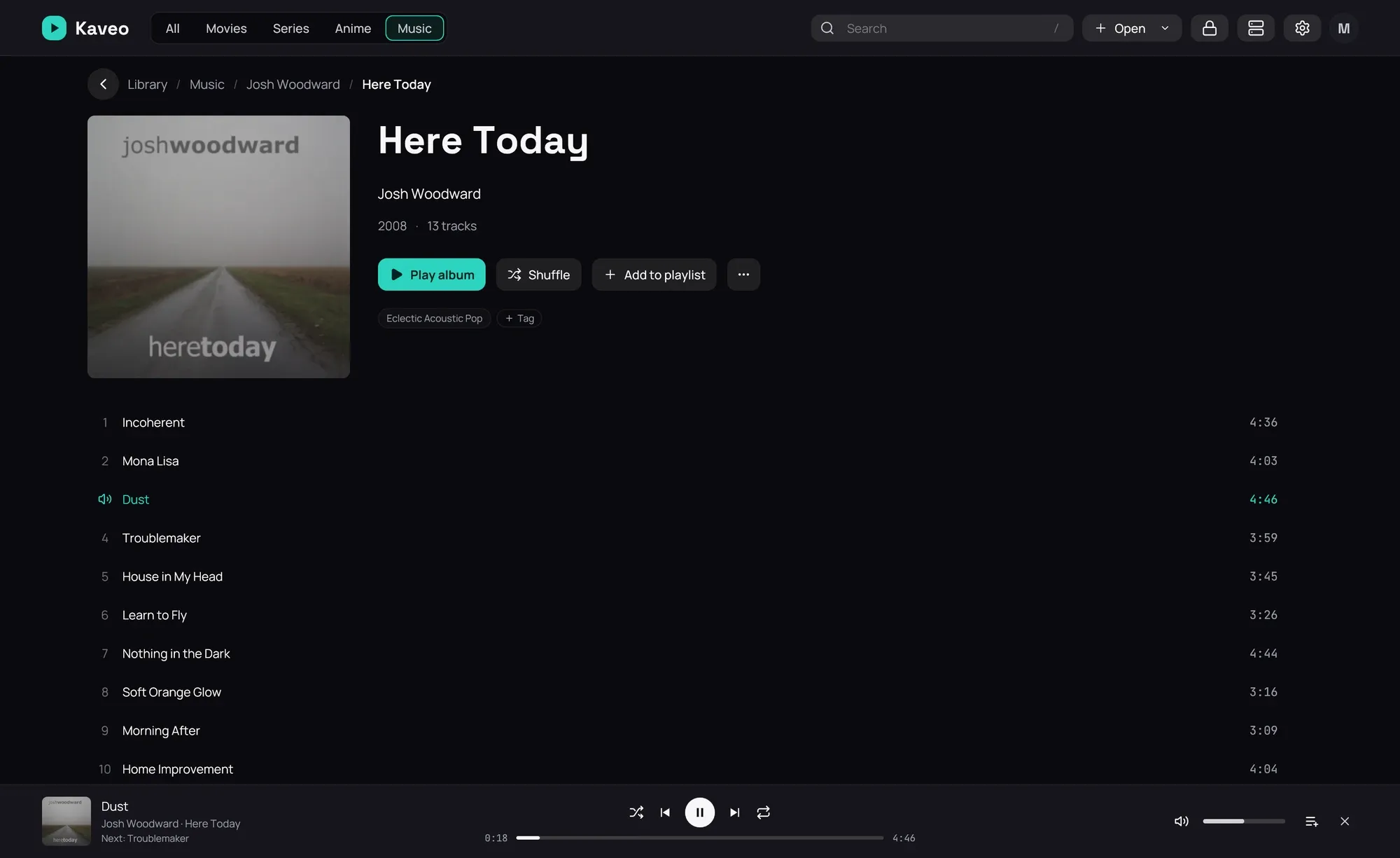
Section titled “What it is for”Browse your library, or anything else in Kaveo, while a track plays, with its controls at the bottom of the window.
How to use it
Section titled “How to use it”- While a track plays, click the back button at the top left of the player: the track’s album opens, and the music goes on.
- Use the bar’s buttons to pause, skip, shuffle the queue or repeat it; click or drag along the position bar under them to move in the track, and set the volume on the right.
- Click the cover or the title to return to the player, the artist or the album to open its page.
- Click the cross to stop.
Good to know
Section titled “Good to know”- Repeat has three states: off, the whole list, and this track. The track’s own end repeats it; Next still moves on.
- Music keeps its own shuffle and repeat, apart from videos’, and Kaveo remembers them after a restart. With shuffle on, an album or playlist you play starts shuffled.
- After a restart, the bar shows Queue from your last session: the play button starts it again.
- The queue’s Save as playlist… keeps it under a name: see Playlists.