
Display & HDR
What it is for
Section titled “What it is for”Settings › Display & HDR decides what your screen is sent, and how an HDR film is fitted to it.
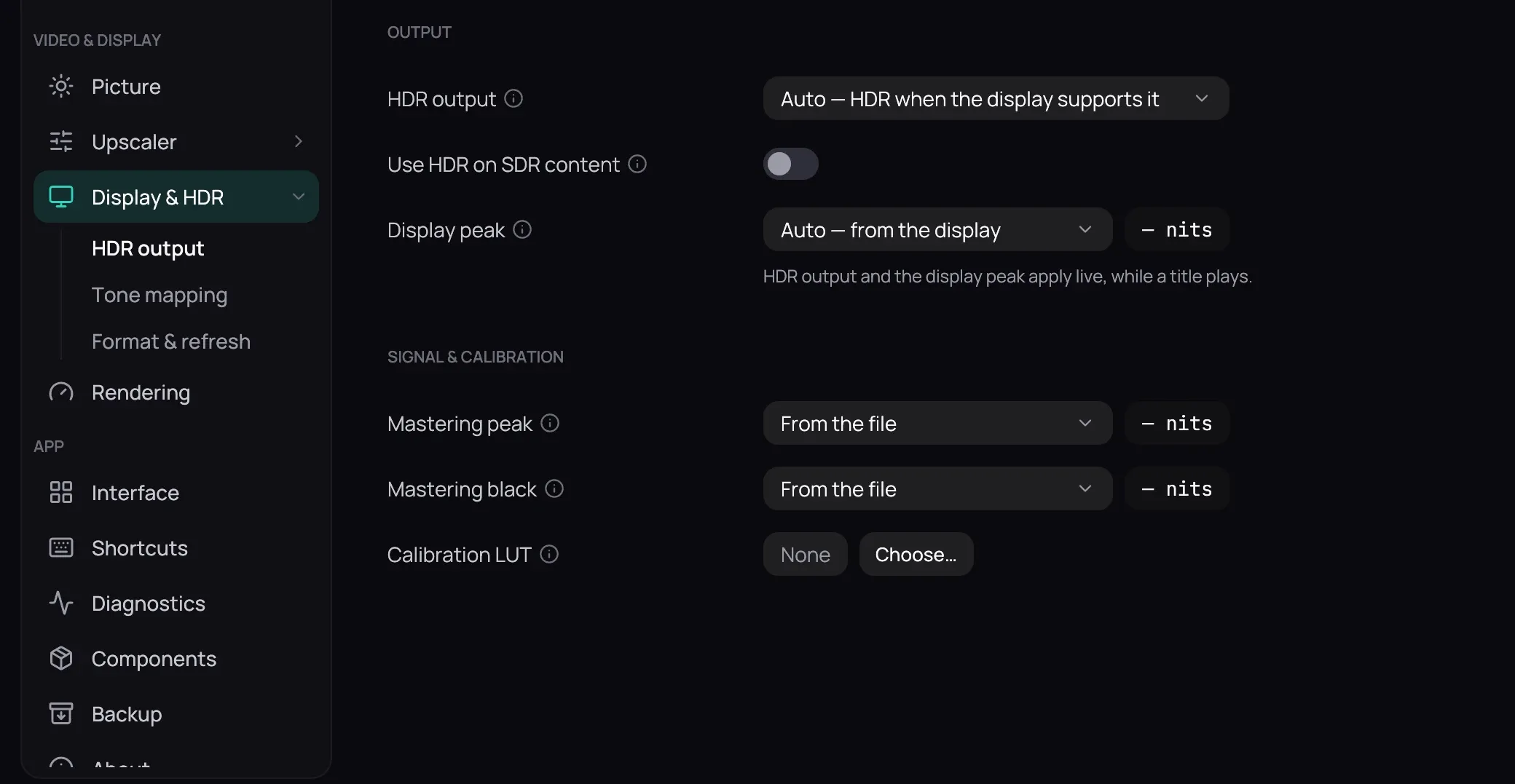
How to use it
Section titled “How to use it”- Editing settings of, under the three tabs, picks the screen the page edits; Create a profile for this display, Copy values from and Delete profile manage them.
- HDR output holds Output: HDR output, Use HDR on SDR content — off, so only an HDR film switches the screen, see HDR output — and Display peak; then Signal & calibration: Mastering peak, Mastering black and Calibration LUT, which corrects the screen; grading is Picture. Override in a value’s menu sets your own.
- Tone mapping holds SDR tone-map target, SDR tone-map black, Tone-map curve, Gamut mapping, HDR metadata, Contrast recovery and Inverse tone mapping, then Dynamic tone-mapping (peak detection): Peak detection, Peak percentile, Smoothing period, Scene-change threshold (low) and Scene-change threshold (high).
- Format & refresh holds Output (bit depth & gamut): Bit depth, Output range, Output gamut, Display gamma; Display refresh: Match refresh to content, Refresh policy; Presentation: Lighter presentation, Full brightness in fullscreen.
Good to know
Section titled “Good to know”- A screen with no profile uses Global (displays without a profile); a saved one returns when the player moves to that screen, and one Kaveo cannot identify gets none.
- Nothing is kept until Save — see Saving changes — which is also when the screen switches into or out of HDR.