
Copying to the clipboard
What it is for
Section titled “What it is for”Copy the picture on screen, without the controls or the subtitles, or one of your own photos, into a document or a message — or copy your own photos and videos as files.
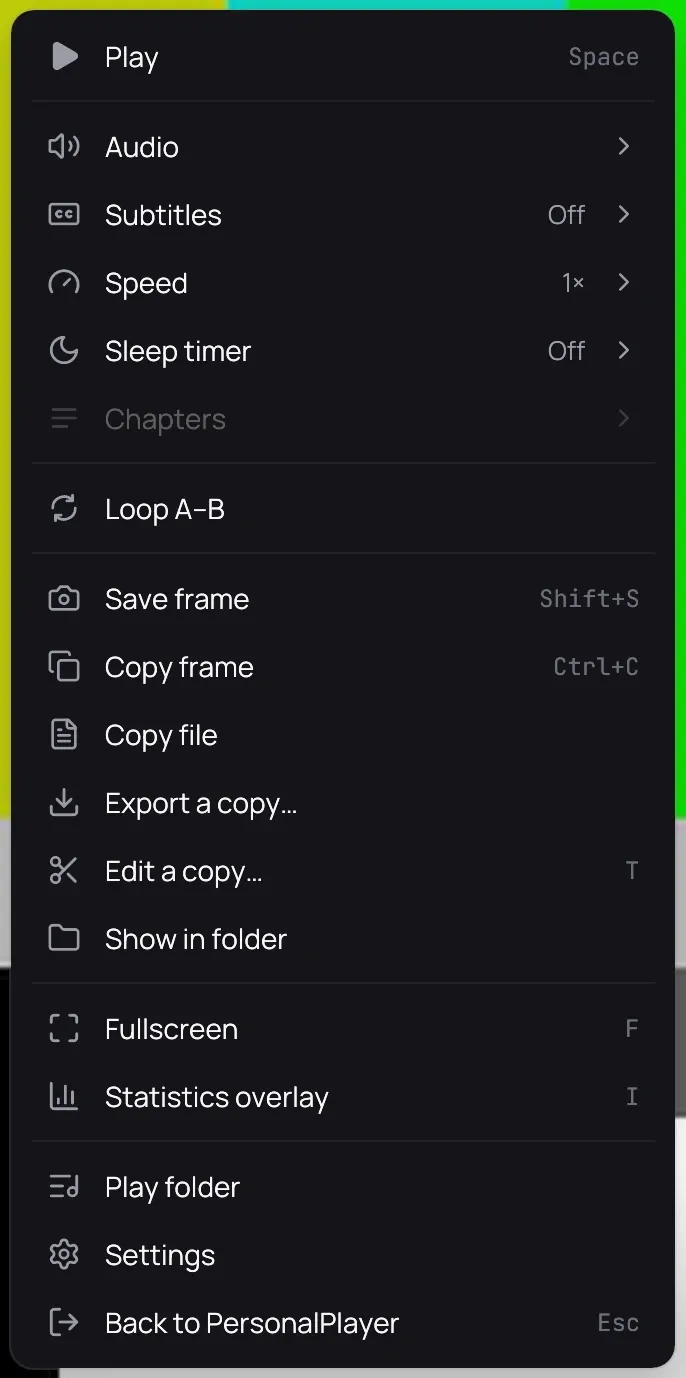
How to use it
Section titled “How to use it”The picture on screen
Section titled “The picture on screen”- Pause on the moment you want.
- Right-click the picture and choose Copy frame, or press Ctrl+C.
- When a message says the frame is copied, paste it where you want it.
One of your own photos
Section titled “One of your own photos”- Right-click its card, or the photo in the viewer, and choose Copy image — or press Ctrl+C in the viewer.
- Copy file copies the file instead; a Live Photo’s motion goes with it.
One of your own videos
Section titled “One of your own videos”- Right-click the picture while it plays, or its row on its folder’s page, and choose Copy file.
- Paste it into a folder or a message.
Good to know
Section titled “Good to know”- A copied frame carries no date or place; a frame of your own video saved keeps them. A copied video keeps everything, because it is the file itself.
- On Linux a very large picture, such as a 4K frame or a phone photo, is copied smaller, and the message gives both sizes.
- Copy file is only for the photos and videos of a personal category, and not for a ripped disc. Neither entry is there for a private title, a video playing from a server, or a trailer.