
When a server moves
What it is for
Section titled “What it is for”A server whose address changes — a new router, a new IP — stops answering at the old one. Kaveo keeps every category the server fed; it only needs the new address.
How to use it
Section titled “How to use it”- Click Sources in the top bar. The server’s card says No answer.
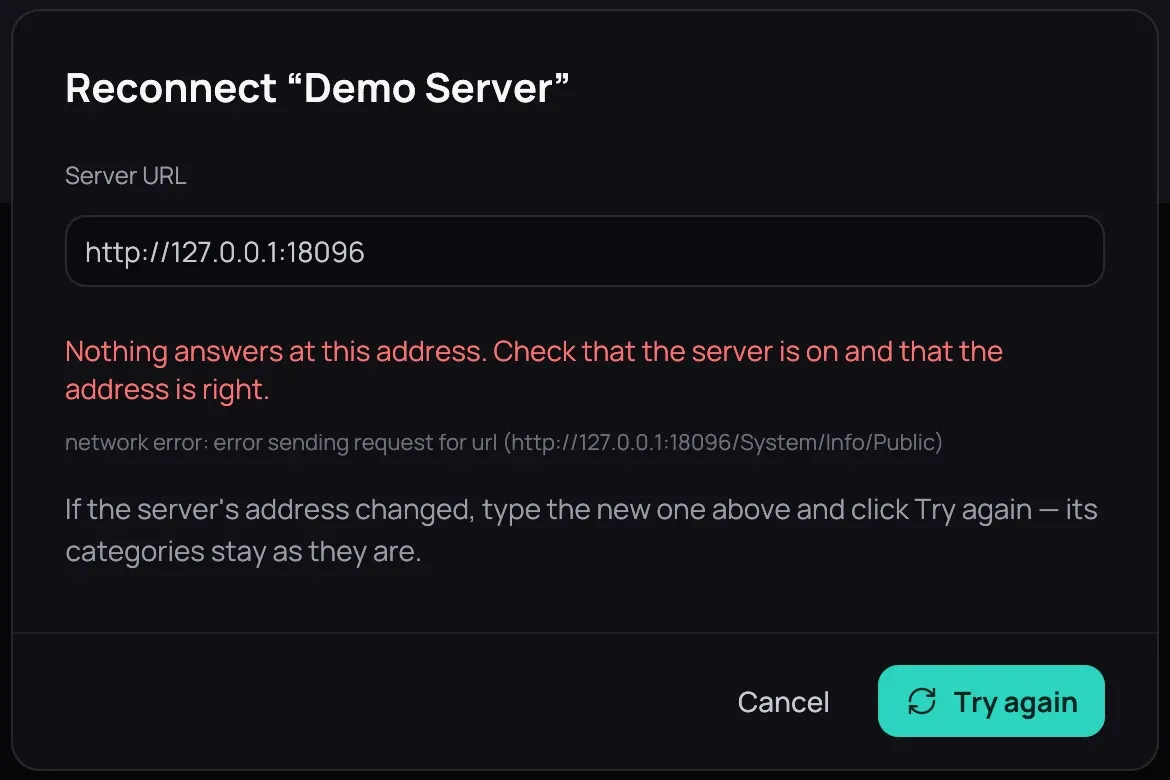
- Click Reconnect. Kaveo tries the old address and says nothing answers there.
- Type the new address in Server URL and click Try again. Kaveo checks that it is the same server, and its titles come back.
Connecting it again from Connect a server works too: Kaveo recognises the server, updates its address and keeps its categories.
Good to know
Section titled “Good to know”- An address with no scheme and no port gets Jellyfin’s usual ones: 10.0.0.5 becomes http://10.0.0.5:8096.
- If the server answers only with the other scheme, Kaveo says so and offers that address.
- A server listed twice, at its old and its new address, becomes one entry as soon as the new one answers: its titles stop appearing twice, and a message says which address Kaveo kept.
- Checking… on a card means Kaveo is still asking the server; a large library can take a minute.