
About
What it is for
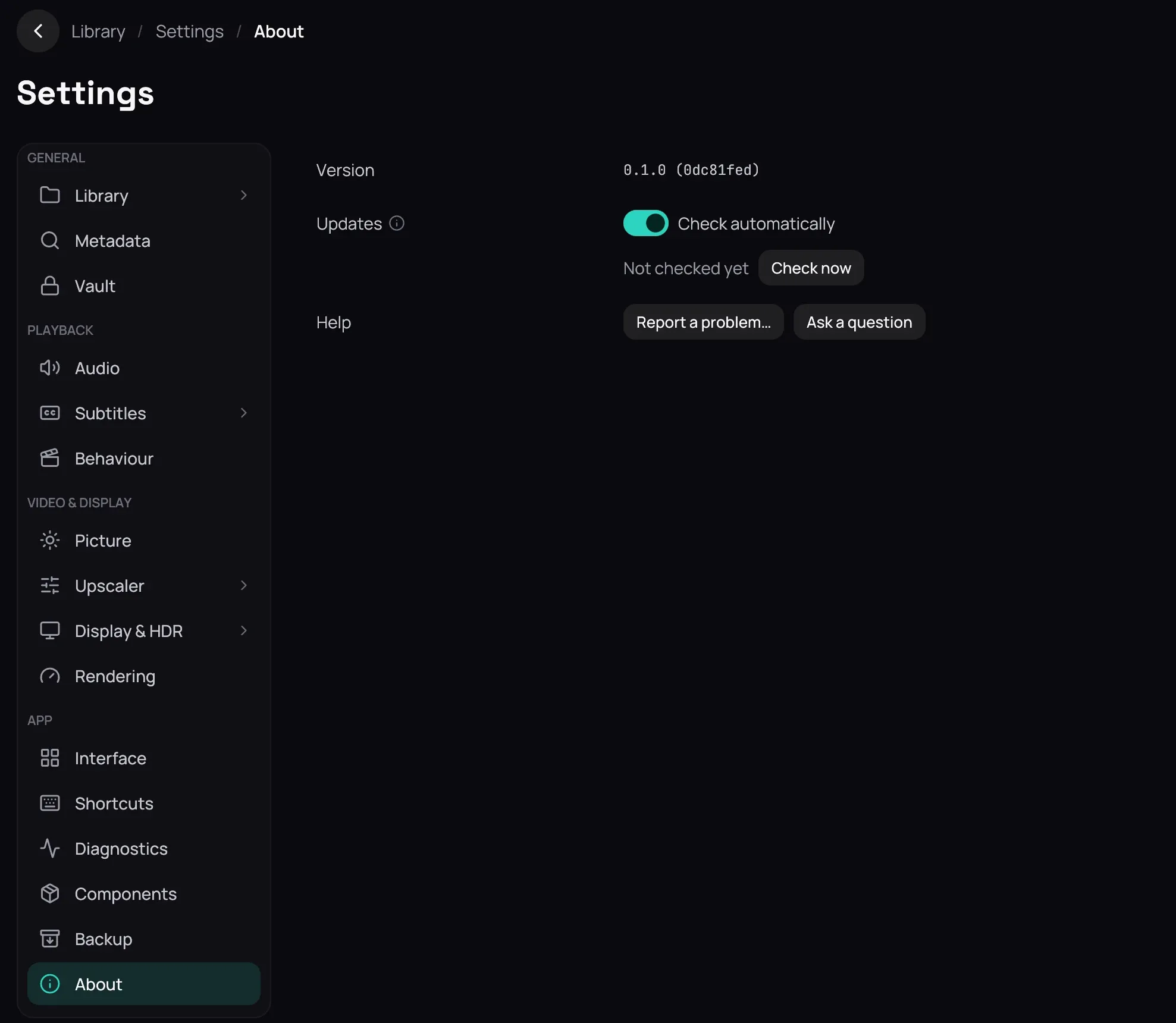
Section titled “What it is for”Settings › About shows the version you are running, whether a newer Kaveo is out, and where to report a problem or ask a question.
How to use it
Section titled “How to use it”- Check automatically asks once at start and once a day; click Check now to ask at once.
- When a newer Kaveo is out, a badge with its version appears in the top bar. Click Update now: Kaveo downloads it, checks it, closes and starts again on the new version. What’s new shows its notes; Later hides the badge for that version.
- Report a problem… opens the issue form on GitHub in your browser, with the version, your system, graphics card and components already filled in. Ask a question opens Discussions.
Good to know
Section titled “Good to know”- The check sends the Kaveo version and nothing else. Turn off Check automatically and click Save to stop it; Check now still works.
- If a film is playing, the update waits until it ends. Installed with a package, Kaveo asks for your password once, as your system’s own updates do.
- A copy that was not installed from a release says so, and does not update itself.
- A newer build of a component Kaveo installed is named here too; update it in Components.
- The report form never receives a file or folder name, and nothing is sent until you submit it there. Attach a bundle from Diagnostics — see Troubleshooting.