
Subtitles
What it is for
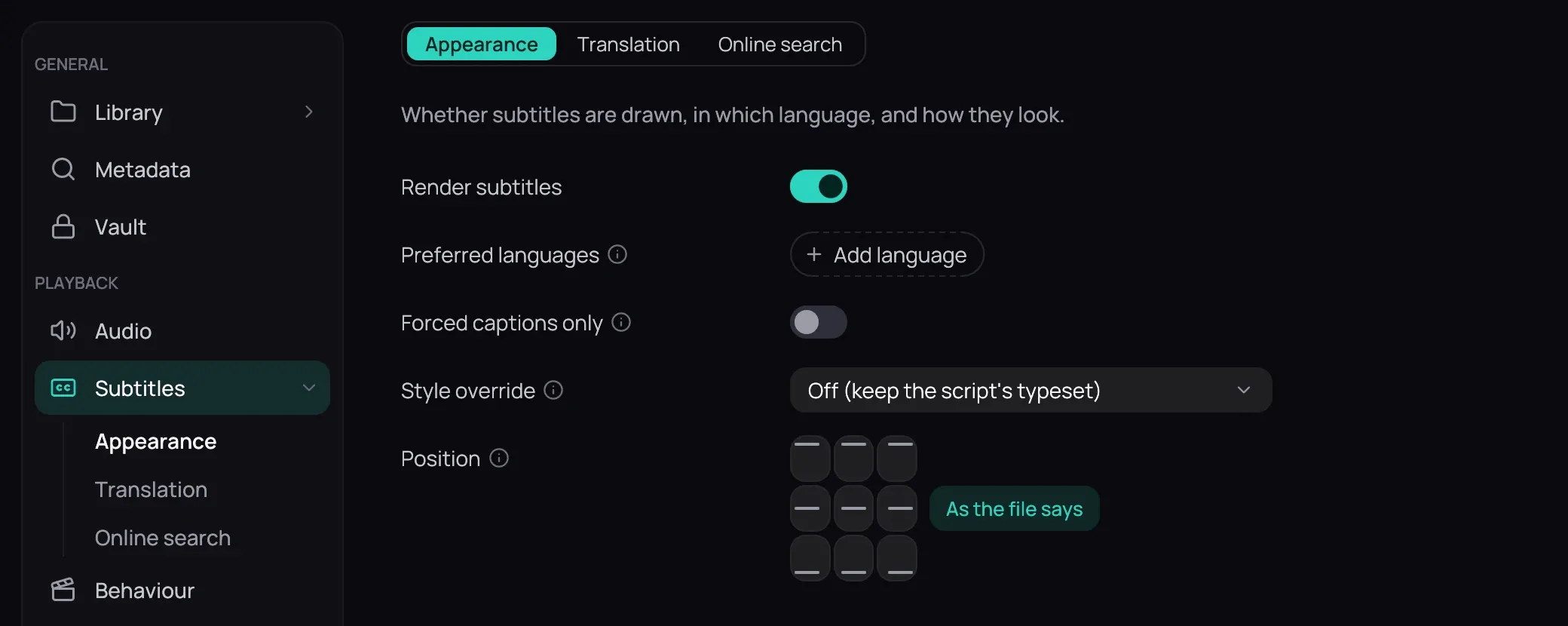
Section titled “What it is for”Settings › Subtitles decides whether subtitles are drawn and how they look, and holds the credentials that translate or fetch them. Its three sub-pages — Appearance, Translation and Online search — appear in the rail and as tabs.
How to use it
Section titled “How to use it”- Appearance holds Render subtitles, which switches the rest of the tab on and off; Preferred languages, which choose a track until you pick one yourself (drag to reorder); Forced captions only, for signs and foreign dialogue; Style override; and Position — see Position and style.
- Translation holds Provider, Endpoint, the API key with Test, Model, then Translate into (Other… takes a typed name), Read the original audio, Re-read the translation and Already translated — see Translating subtitles and Translating on your own computer. Names and speakers are set on the subtitle — see Better translations.
- Online search holds OpenSubtitles’ API key, Languages, Account, Password and Test account — see Finding subtitles online.
Good to know
Section titled “Good to know”- Style override on Off (keep the script’s typeset) draws no styling rows; Size only adds Text size; and Font, colour, outline and shadow keeps that one and adds four more — Font family, Text colour, Outline width and Shadow depth.
- Appearance is read when a title opens, so a change made while a film is on screen reloads it briefly, in place.
- Everything here waits for Save, the two keys and the password included — see Saving changes.