
Hiding adult content
What it is for
Section titled “What it is for”Hide titles tagged adult from every library screen — the rows, the grid, search and Recently played — without touching the files themselves.
How to use it
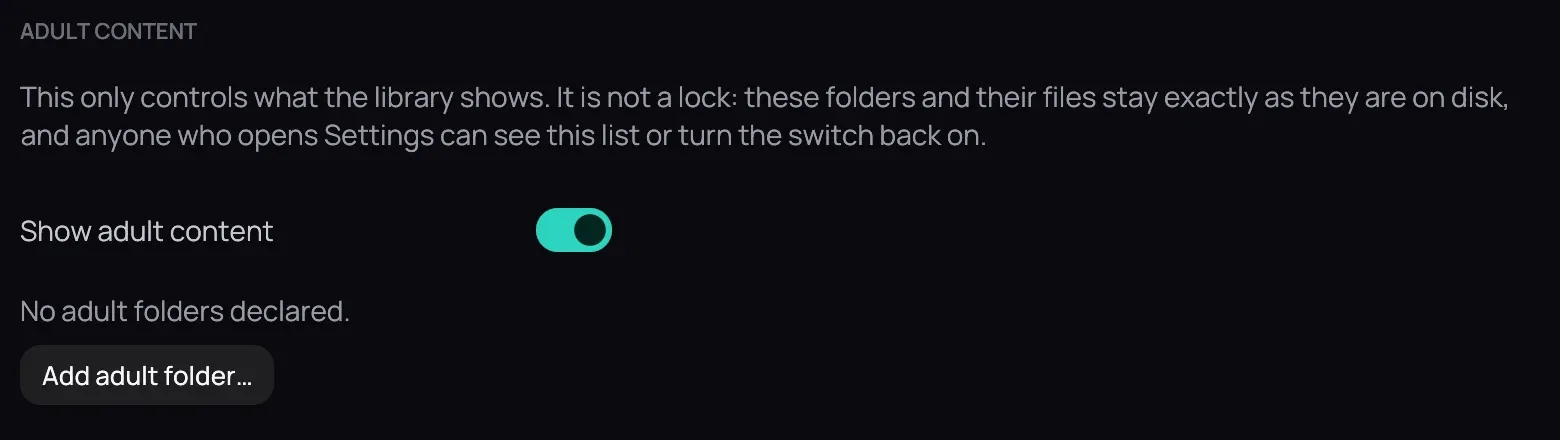
Section titled “How to use it”- Open Settings › Library › Folders and find Adult content.
- Click Add adult folder… and pick a folder; everything under it is tagged adult automatically.
- Turn off Show adult content and click Save.
- Turn on Show adult content again to bring them back exactly as you left them.
Good to know
Section titled “Good to know”- It is a visibility switch, not a lock — Settings itself stays fully reachable, so it will not keep anyone out of it.
- To tag one title without a whole folder, right-click its card and choose Mark as Adult.
- Nothing is encrypted and nothing on disk moves.