
Correcting a wrong match
What it is for
Section titled “What it is for”When a poster or a plot belongs to something else, Kaveo has matched a local title to the wrong film or series — correct it by hand.
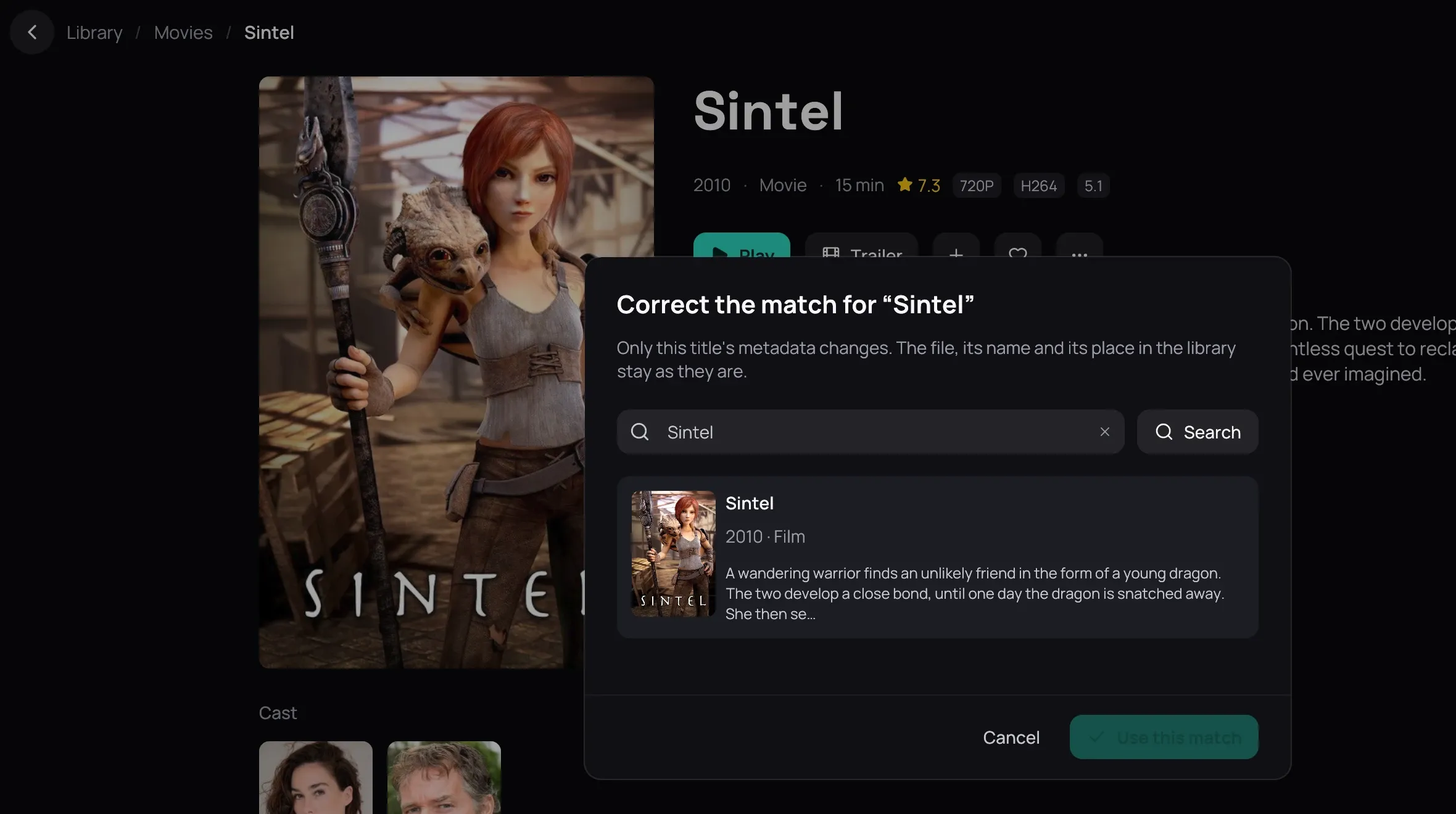
How to use it
Section titled “How to use it”- Right-click the card and choose Correct match…, or click ⋯ on the title’s page and choose it there.
- If the right one is not shown, look under What Kaveo read — the name the file had before import, the title in the file, the file and its folder — and click the magnifier beside one to search for it, or type your own and click Search.
- Click a candidate to read more about it beside the list — View on TMDB opens its page — then click Use this match.
- If the title is on no online service at all, click No match instead: Kaveo keeps the name its files give and stops looking it up.
Good to know
Section titled “Good to know”- The match is pinned, so no later scan can undo it.
- Only the metadata changes — the file, its name and its place in your library stay put. To see everything a file says about itself, choose File info… from the same menu.
- To hand the decision back to Kaveo, open the same dialog and click Restore automatic match — it undoes No match too.