
Skipping openings
What it is for
Section titled “What it is for”When a file marks its opening, its ending or the scene before the opening as a chapter, Kaveo offers to skip it, and learns your habit for the rest of that series.
How to use it
Section titled “How to use it”Skip an opening or ending
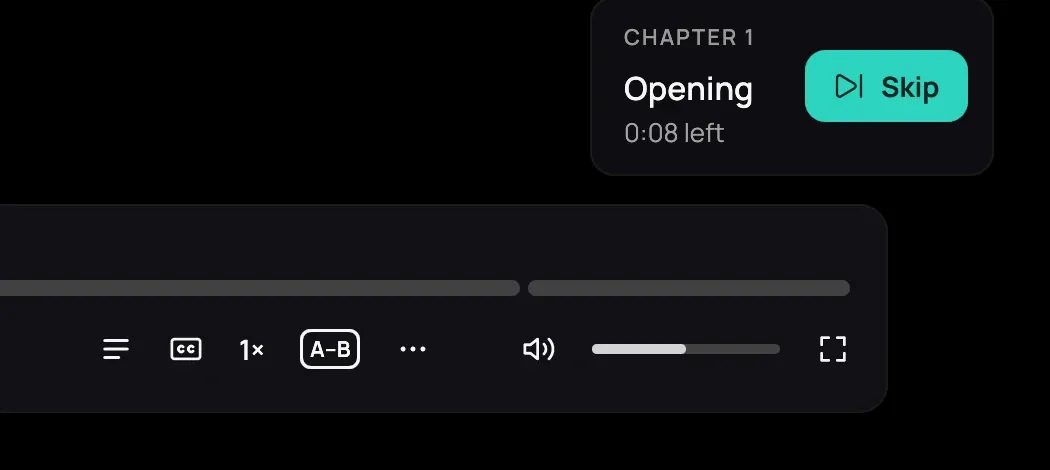
Section titled “Skip an opening or ending”- While the opening, the ending or the scene before the opening plays, click Skip on the card in the bottom-right corner. Kaveo jumps to a second before the end of that chapter.
- Skip the same part in two episodes, and the next episodes skip it by themselves. Each part is learned on its own.
- Click Watch it, shown for a few seconds each time, to see it after all — Kaveo then offers the button again instead of skipping.
Turn it off
Section titled “Turn it off”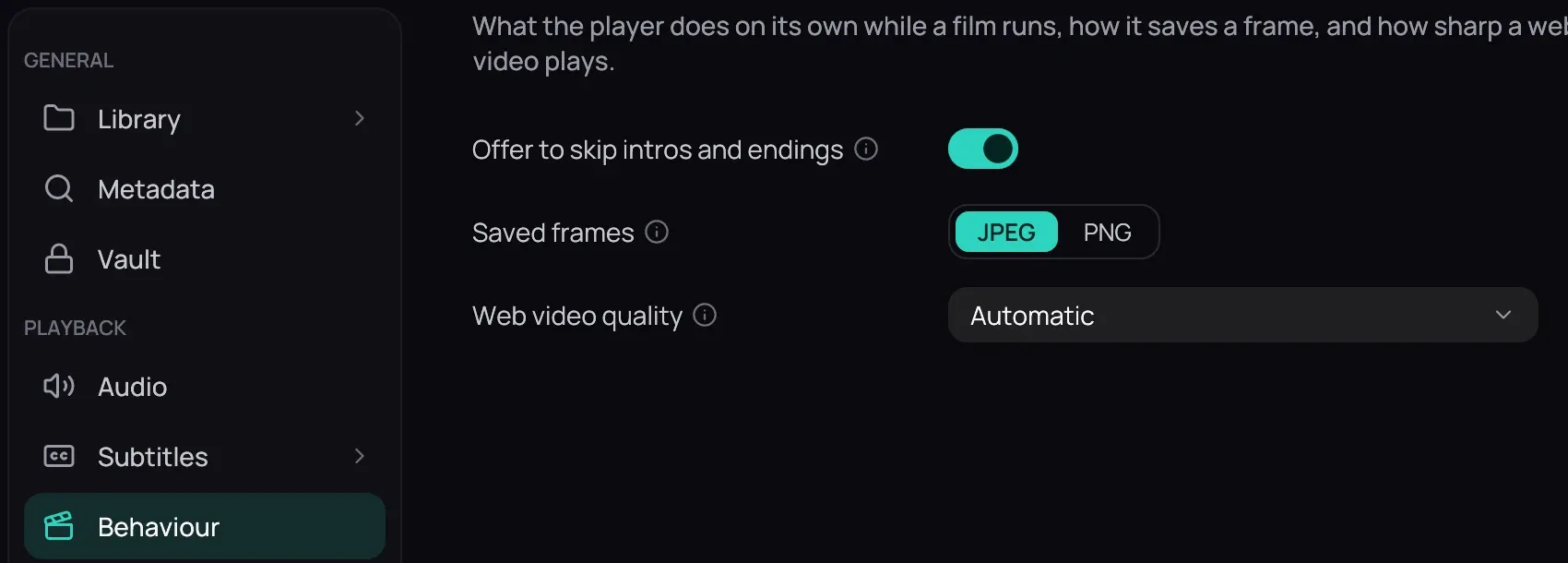
- Open Settings › Behaviour (Behaviour), turn off Offer to skip intros and endings and click Save. Kaveo then neither offers a skip nor skips by itself.
Good to know
Section titled “Good to know”- Kaveo goes by the chapter’s name (Opening, OP, Ending, ED, Prologue and similar). When an episode’s chapters have no names, a chapter as long as a theme song, near the start or at the end, is taken as the opening or the ending. Nothing is guessed from the picture or sound.
- An Intro chapter just before an Opening is the prologue, not the opening.
- Jumping into the opening yourself, with the timeline or arrow keys, is never skipped.
- The choice lasts until you close Kaveo.