
Same loudness for every title
What it is for
Section titled “What it is for”Every title plays equally loud, so you stop reaching for the volume between a quiet film and a loud song.
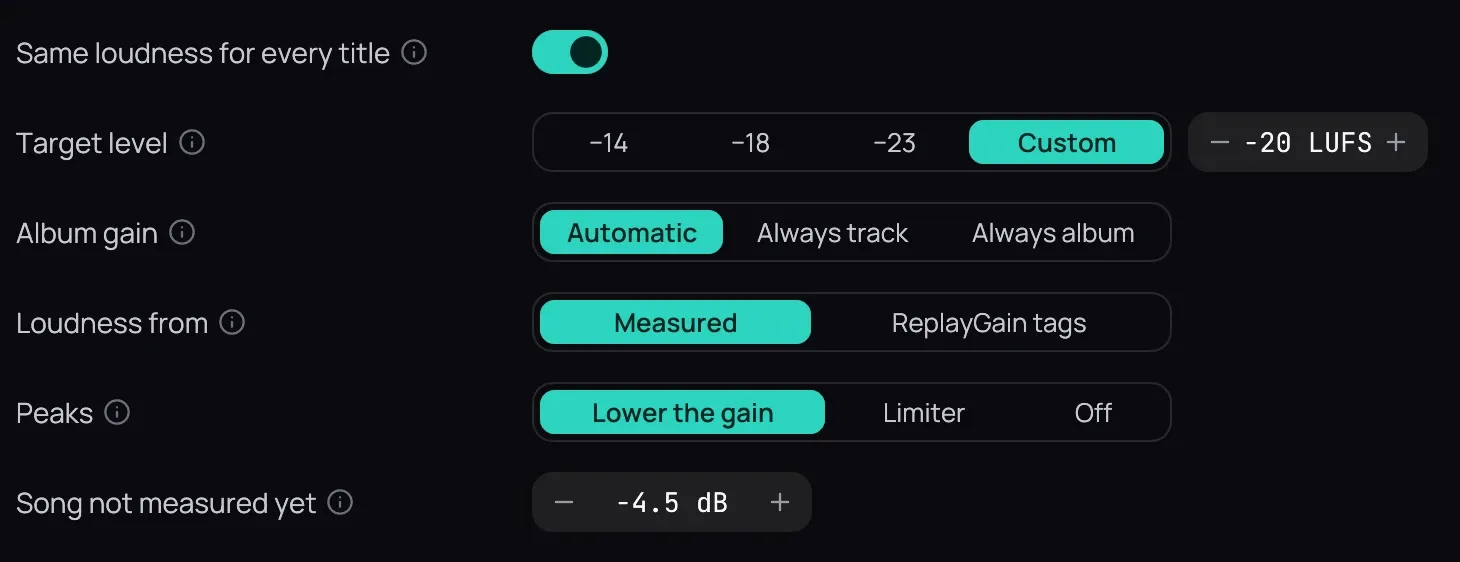
How to use it
Section titled “How to use it”- In Settings › Audio, turn on Same loudness for every title.
- Pick a Target level: −18 is the usual, −14 louder, −23 quieter; Custom sets any level from −24 to −10.
- Album gain on Automatic keeps an album’s quiet and loud songs apart when it plays in order.
- Loudness from: Measured, or ReplayGain tags if another program levelled your music.
- Peaks: Lower the gain never touches a title’s dynamics; Limiter reaches the target exactly; Off lets a loud peak clip.
Good to know
Section titled “Good to know”- To make everything louder or quieter, use the volume, not the target.
- With Off, lowering Kaveo’s volume leaves room for the peaks; a device’s own volume does not.
- Song not measured yet sets how quietly a song plays until it is measured.