
Setting up private titles
What it is for
Section titled “What it is for”Before you can hide anything, Kaveo needs a vault: a folder to keep hidden titles in, and a password to lock it with.
How to use it
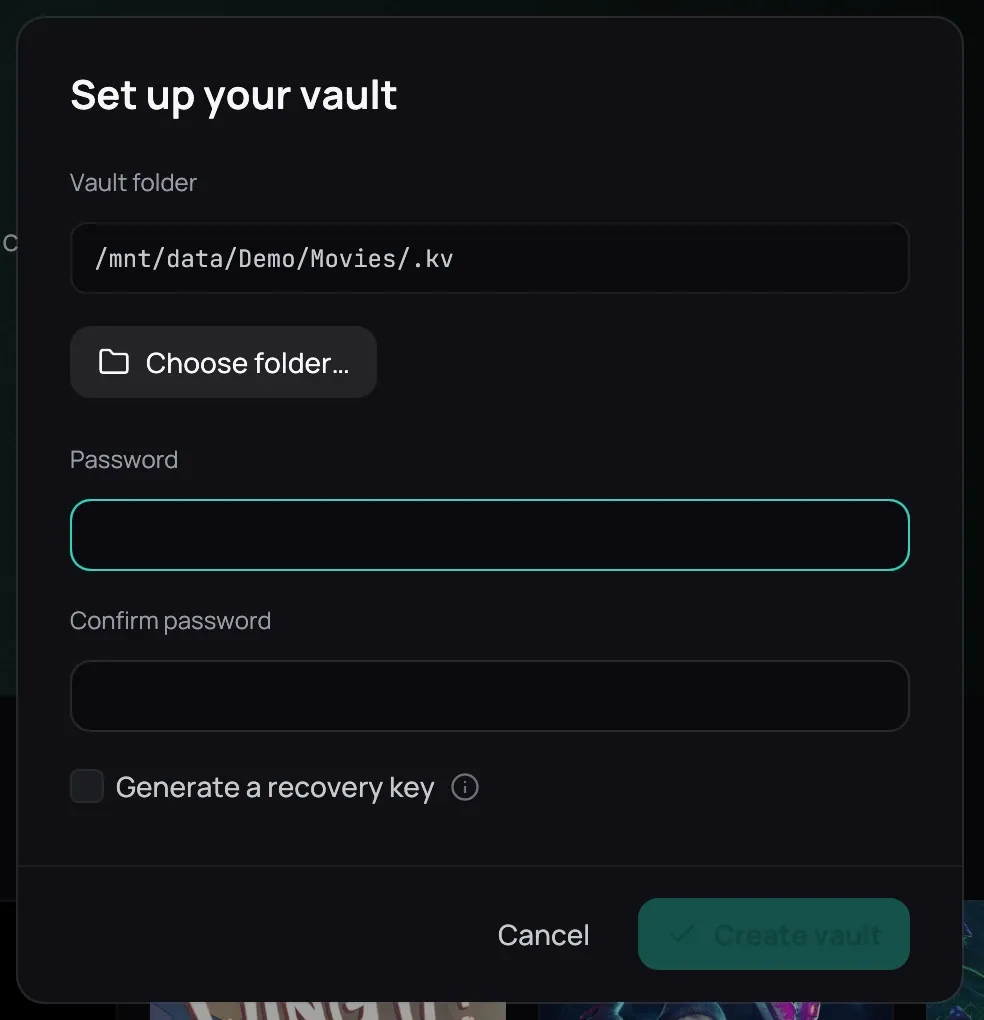
Section titled “How to use it”- Click the padlock icon in the top bar. With no vault yet, it opens Set up your vault.
- Vault folder is filled in for you if you already have a library folder — keep it, or pick another with Choose folder…, on the same drive as your films so hiding a title later is instant instead of a copy across drives.
- Fill in Password and Confirm password, tick Generate a recovery key, then click Create vault — grey until a folder is set and the two passwords match.
- Write down the recovery key — shown once, with Copy to put it on the clipboard — then tick I have written it down and click Done.
Good to know
Section titled “Good to know”- Your password is never stored, not even as a hash. Without it and without the recovery key, nothing inside can ever be opened again — nobody can reset it for you.
- The recovery key unlocks the vault on its own, independently of the password, so keep it somewhere safe.