
The library home
What it is for
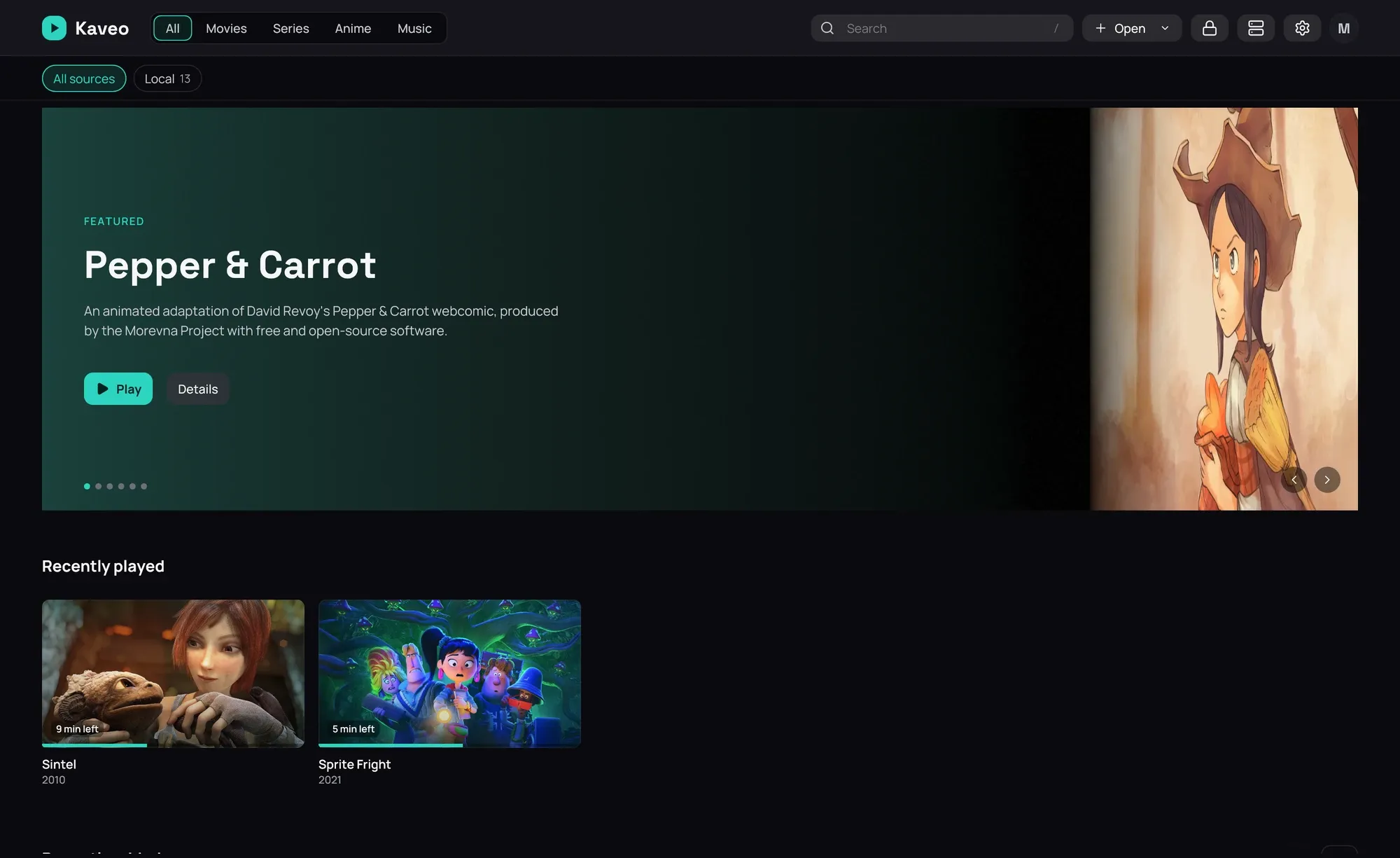
Section titled “What it is for”The home screen lays your titles out in rows so you find something to watch without hunting for a file name, with a band at the top featuring a few of them.
How to use it
Section titled “How to use it”Open something
Section titled “Open something”- Rest the pointer on a card for a quick preview.
- Click the card to open the title.
- Copy a video into a library folder — it appears on its own, about ten seconds later.
Choose the featured band
Section titled “Choose the featured band”
- Open Settings › Interface (Interface), under Featured background.
- Pick a design: Title artwork, Feathered artwork or Carousel use each title’s wide image; Gradient, Feathered poster or Poster in a glow use its poster.
- Click Save.
Good to know
Section titled “Good to know”- Recently played shows one card per title — a series stays on the episode you’re partway through, then moves to the next one.
- Albums have their own row, New music, with square covers; Recently added holds films and series.
- A design with wide images shows only once every title in the band has one; until then the band uses its poster version.
- The featured band is on the home screen only — a category or source page starts with its rows.
- After a moment the band plays a clip — TRAILER or PREVIEW says which. Its × stops it, and no clip plays there again until Kaveo restarts.