
The card menu
What it is for
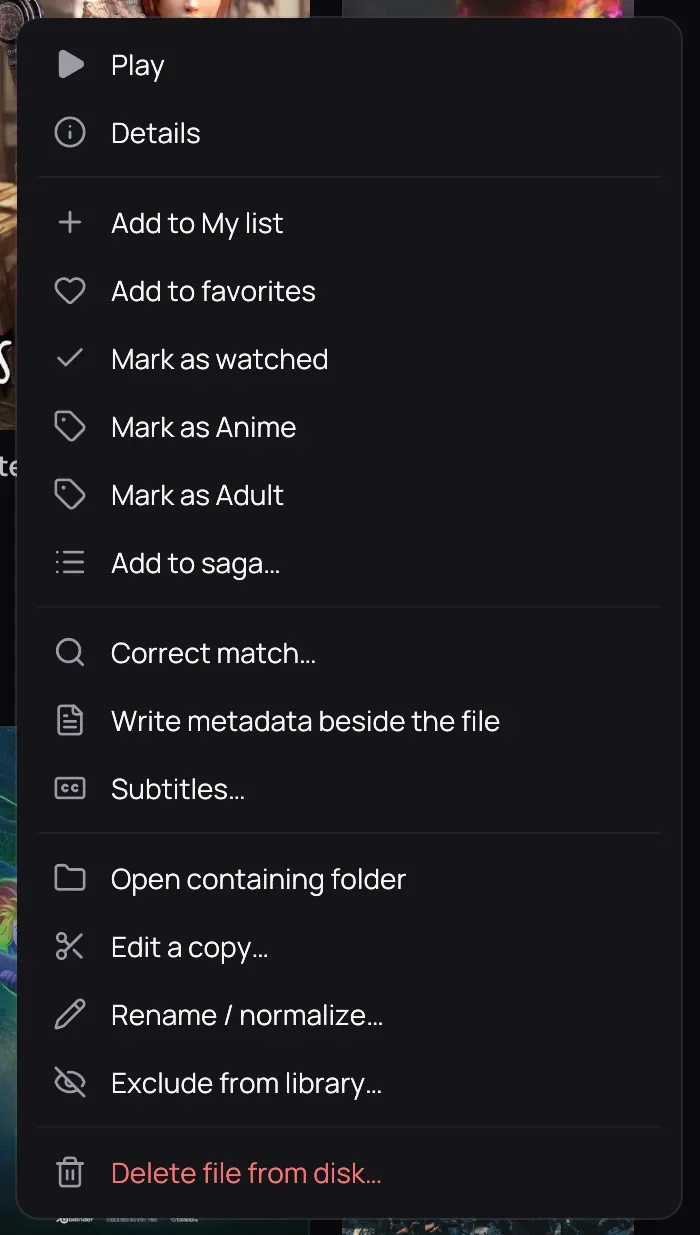
Section titled “What it is for”Right-click a card for the everyday actions on that title — play it, tag it, or manage its file — without opening its page first.
How to use it
Section titled “How to use it”- Right-click a card to open its menu.
- Choose Play, or, for example, Resume from 12:34 / Play from the start if you stopped partway through.
- Choose Details to open the title’s own page.
- Choose Add to My list, Add to favorites, Mark as watched, Mark as Anime, Mark as Adult or Add to saga… to file or tag it.
- For a local file, choose File info…, Rename / normalize…, Open containing folder, Exclude from library… or Delete file from disk….
Good to know
Section titled “Good to know”- An episode’s own actions are on its row on the series page, not on the series card’s menu. The row opens it from anywhere on it, its picture and text included.
- On a series card, Mark as watched marks every episode.
- Once they are all watched, the entry reads Mark as not watched and clears them all.
- For a title on your Jellyfin server, Mark as watched also marks it on the server, so your other devices see it.
- Scan for new files on the server: see New files on a server.
- Delete file from disk… permanently removes the file; Kaveo asks you to confirm first.
- A file watched almost to the end is marked as watched automatically.